Power Up - Upskill Yourself...
❌

Reading view

Explore Dataverse Tools: FetchXML Formatter Online by Arun Potti – Usage

In my previous article, I had explained about Arun Potti’s FetchXML Formatter and in this article, will explain about how to use this Tool.

Requirement: Get all the Active Contacts created in the last 1 hour using JS, C# and Web API.

Solution:

Follow the below steps,

Step 1: Click on the below link to open the Arun Potti’s FetchXML formatter.

Arun Potti’s FetchXML Formatter

Step 2: Open the Advanced Find and Select the conditions as mentioned below.

Look for: Contacts

Conditions:

Created On – Last X Hours – 1
Status Equals Active

Step 3: Click on Download Fetch XML.

Step 4: Click on Open file.

Step 5: Select and copy the downloaded FetchXML.

FetchXML Code:

<fetch version="1.0" output-format="xml-platform" mapping="logical" distinct="false">
<entity name="contact">
<attribute name="fullname"/>
<attribute name="address1_composite"/>
<attribute name="mobilephone"/>
<attribute name="birthdate"/>
<attribute name="contactid"/>
<order attribute="fullname" descending="false"/>
<filter type="and">
<condition attribute="createdon" operator="last-x-hours" value="1"/>
<condition attribute="statecode" operator="eq" value="0"/>
</filter>
</entity>
</fetch>

Step 6: Paste the copied FetchXML in the FetchXML Input in the Arun Potti’s FetchXML formatter mentioned in the Step 1.

After the FetchXML input is provided, the tool automatically produces fully formatted JavaScript, C#, and Web API code snippets in the Generated Code section for the direct implementation.

Hope you have successfully downloaded the required FetchXML, provided the Input and saw all the outputs.

In the next article, will explain how to use them in real code JS, C# and Web API and get the desired results.

Please like and share your valuable feedback on this article. Also, follow my blog to get my articles to your Inbox.

Graphic promoting a YouTube channel with the text 'Has my blog post helped you?' and buttons for 'WATCH', 'LEARN', and 'SUBSCRIBE'.

Below are my earlier articles that you can have a look.

Streamline FetchXML with Online Formatter for Dataverse Tools

Fixing Postman Connection Issues: A Step-by-Step Guide

Explore Microsoft AB-Series Certification: Skills for AI Roles

My first XRMToolBox Plugin: Dataverse Users, Security roles, Teams and Teams security roles

My first XRMToolBox Plugin: Dataverse Users, Security roles, Teams and Teams security roles (Usage)

My first XRMToolBox Plugin: Dataverse Users, Security roles, Teams and Teams security roles (Installation)

My first XRMToolBox Plugin: Dataverse Users, Security roles, Teams and Teams security roles (Overview)

Limited Time Offer: 50% Off Microsoft Certification Vouchers

How to send an automated email in Dataverse using Power Automate?

Understanding Activity Party Types in Dynamics 365 CE

How to configure donotreply email using Shared mailboxes in Dynamics 365 CE?

Microsoft Power Pages: The authentication key for your portal will expire

Microsoft Azure: You’re not eligible for an Azure free account

How to create Microsoft Azure 30 days trial?

Edit in Visual Studio Code for the Web in Power Apps Portals

Error: The object cannot be updated because it is read-only in Microsoft Power Apps

Resolved: Fix connections issue in Power Automate Flow

Clear all objects feature in Power Apps Solutions

Power Automate Error: The ‘inputs.parameters’ of workflow operation of type ‘OpenApiConnection’ is not valid.

Power Automate Error: To use FilteringAttributes, your trigger must include an Update event on Dataverse Trigger

Dynamics 365 CE Solution Import Failed in Azure DevOps Pipelines

Power Automate Error: Cannot write more bytes to the buffer than the configured maximum buffer size: 104857600

Error while opening a Tool in XRMToolBox

The Power Automate Cloud Flows Best Practices Whitepaper is now LIVE!

Error in Power Automate: There’s a problem that needs to be fixed to trigger this flow. To see more details, open Flow checker.

How to get the Dataverse Table’s first row from List Rows in Power Automate?

Microsoft Dataverse Accelerator – Part 2 – Installation

Microsoft Dataverse Accelerator – Part 1 – Introduction

How to get the Database Version of the Dataverse?

API playground feature not available in Dataverse Accelerator App?

How to Explore and test Dataverse in the Web API playground (preview)?

Web resource method does not exist in Dynamics 365 CE

How to get Environment Variable Value in Dynamics 365 CE using JavaScript?

Model-driven Apps – openAlertDialog – JavaScript – Code Snippet

Power Automate – Flow is not running on Trigger condition

Power Automate – Input field Delete option is disabled

Recipient of type ‘Contact’ with ID is marked as non-emailable

Preferred Solution | New feature | Microsoft Dataverse

New and Retired Microsoft Dynamics 365 Certifications

Environment settings behavior (Preview) feature in Model-driven Apps

Error while connecting to Dataverse environment in XrmToolBox

Power Fx Formula Columns in Microsoft Power Apps

How to Enable 2024 Release Wave 1 Updates in the Microsoft Dynamics 365 CE Environment?

Delete and Restore records (Preview) feature in Microsoft Dataverse

Microsoft Power App Environments Retention Period

How to Override the Model-driven app header colors?

Timeline Highlights (New feature) in Microsoft Power Apps

Model-driven App – Cannot “See associate records” option in the sub grid (arunpotti.com)

Bookmark the Important Dynamics 365 URLs

How to Enable Tenant-level analytics for Power Automate and Power Apps?

Microsoft Power Automate Copy and Paste Action in New DesignerHow to Setup Multi-Factor Authentication for your Microsoft Power Apps environment?

Microsoft Power Apps | Modern Themes | Preview feature

How to Download and Install the .NET Framework?

How to Create a SharePoint Site Online?

How to add and use Copilot answer control (Preview) in Microsoft Power Apps?

Dark Mode in Microsoft Power Apps

How to create Microsoft 365 E3 Trial for 30 days?

Refreshed look of solution dependencies in Dataverse Solutions

Microsoft Power Automate | Version History | Restore | New Feature

MICROSOFT LEARN – Artificial Intelligence Skills Challenge​ 2024!!!

Resolved – ‘InvokerConnectionOverrideFailed’ Error When a Power App Custom Page call a Power Automate Flow

How to Create Microsoft Power Apps Trial 30 days?

Not able to Create Power Automate Flow in Custom Page in Model-Driven App?

How to Enable Inline Actions feature in Microsoft Canvas Apps?

How to use /mention in Outlook web client for Dataverse records?

Associate Activities Multiple Related Records (Preview) feature in Microsoft Dynamics 365 CE

How to Enable Aggregation (preview) feature in Microsoft Power Apps?

Power Apps – Some components of this app require you to sign in. If you don’t sign in, part of the app may not work.

How to Enable the SQL Server stored procedures (preview) feature in the Power Apps?

How to get the Client Version of the Model Driven Apps?

How to get Microsoft 365 E3 Trial for 30 days?

How to Enable Copilot for Model-Driven apps feature in Dynamics 365 CE Environment?

[Resolved] Web resource method does not exist in Dynamics 365 CE JavaScript Error

How to Enable Blocking unmanaged customizations (Preview) feature in Dynamics 365 CE?

How to create Microsoft Power Apps Developer Plan Environment?

Microsoft Power Apps Developer Plan vs Power Apps Trial 30 days

What is Microsoft Power Apps Developer Plan?

[Resolved] PCF Field Control not showing anything in the PCF Test Environment?

[Issue Resolved] ReferenceError: Web resource method does not exist in Dynamics 365 CE Javascript Error

[Issue Resolved] Subcomponent cannot be added to the solution because the root component Template is missing in Dataverse

How to Turn Off the Modern Look in the Model Driven Apps?

How to Turn on the New modern, refreshed look for the Model-Driven apps?

Microsoft Power Apps – Apps filter feature

How to Create Microsoft Power Apps 30 days Online Trial Version and an Environment?

Microsoft Power Apps – Solutions filter Preview feature

How to Show the Power Automate complete Expressions?

Dataverse Error: Cannot start the requested operation [EntityCustomization] because there is another [PublishAll] running at this moment.

Power Automate Error: You should specify a contact or account.

How to get the Choice Text and Value in the Dataverse using JavaScript?

Microsoft Dataverse Low Code No Code Plugins

How to convert the Number String to Number Array?

How to Integrate Instant Plugins in the Power Automate Flow?

Power Apps – ‘actionname’ is an unknown or unsupported function in namespace ‘Environment’

Dataverse Browser V1.1.0.1 is available for Dataverse Plugin Debugging

How to Integrate Instant Plugins in the Canvas App?

How to Enable Access to Microsoft Dataverse Actions (Preview feature) in the Power Apps?

How to Create an Instant Plugin in the Dataverse Environment?

How to Install the Microsoft Dataverse Accelerator in the Dataverse Environment?

What is Microsoft Dataverse Accelerator?

How to get the Logged in User Information in the Power Apps?

How to Install Power Platform Tools in Visual Studio Code?

How to Install the Apps from the Microsoft AppSource to your Dataverse Environment?

Microsoft Power Apps Maker Portal has a new look

Microsoft Power Apps Emulator (New Feature)

How to Enable the Dataverse Offline (Experimental Feature) in the Canvas Apps?

How to set the Authoring Version in the Canvas App?

New version of Dataverse Browser is available for Dataverse Plugin Debugging

Latest Free Practice Assessments for Microsoft Certifications

Download CRM 365 V9.X Tools using PowerShell

How to set the Refresh cadence for a Power Platform Environment?

Update forms and views (Preview feature) in Dataverse

How to connect to Microsoft Dataverse in Power Automate Flow using Service principal?

How to Enable Copilot (Preview) feature in Canvas Apps?

How to Debug a Dataverse Plugin without Installing the Profiler in the Plugin Registration Tool?

How to Enable the Licenses (Preview) feature for a Power Platform Environment?

How to Enable Maker Welcome Content (preview) in Power Apps Maker Portal?

How to Enable Managed Environments for a Dataverse Environment?

How to Enable the Modern Controls (Preview feature) in the Canvas Apps?

How to Enable 2023 Release Wave 1 updates in the Dataverse Environment?

How to Deploy Enterprise Applications in the new Dataverse Environment?

What is Preview, Experimental and Retired features in Canvas Apps?

How to Enable the New Power Fx Formula Bar in Power Apps Studio?

Writing Power Fx formulas with natural language

Power Fx Formula Columns in Dataverse

Generating Power Fx formulas from examples

How to Create Dynamics 365 Marketing 30 Days Trial Version Online?

How to disable Multi-Factor Authentication (MFA) on Dynamics 365 Login?

How to Create Microsoft Power Apps 30 days Online Trial Version and an Environment?

Explore Dataverse Tools: FetchXML Formatter Online by Arun Potti

Logo of Dataverse featuring a green circular design with the text 'Dataverse' in a modern font.

Working with FetchXML can sometimes get messy – especially when dealing with long, nested queries. To make this easier, I’ve created a new Online FetchXML Formatter. This tool automatically beautifies and structures your FetchXML, making it more readable and developer‑friendly.

This is a lightweight web tool for Dataverse / Dynamics 365 CE developers. It helps them format FetchXML and instantly generate ready-to-use JavaScript, C#, and Web API snippets. All of this is possible from a single FetchXML input.

Click on the below link to open the Tool.

Arun Potti’s FetchXML Formatter

Features:

Clear separation between input and the three outputs.

🔹 Single FetchXML input

Paste FetchXML in standard XRM / Dataverse format

Basic XML validation (parse + root <fetch> check)

🔹 Automatic formatting

Auto-beautifies FetchXML on input/change

Fixes indentation and line breaks for readability

🔹 Code generation

JavaScript snippet for Xrm.WebApi.retrieveMultipleRecords or Web API calls

C# verbatim string snippet for plugins, custom workflow activities, or console apps

Web API URL parameter (fetchXml) with URL-encoded FetchXML

🔹 Copy to clipboard

One-click Copy for:

  • JavaScript output
  • C# output
  • Web API output
  • Formatted FetchXML

🔹 Sample FetchXML

Insert a sample FetchXML query with one click to test the tool

🔹 Clean, responsive UI

Modern layout that works on desktop and mobile

In the next post, I’ll walk you through what the tool does. I will explain how it works.

Please like and share your valuable feedback on this article. Also, follow my blog to get my articles to your Inbox.

Graphic promoting a YouTube channel with the text 'Has my blog post helped you?' and buttons for 'WATCH', 'LEARN', and 'SUBSCRIBE'.

Below are my earlier articles that you can have a look.

My first XRMToolBox Plugin: Dataverse Users, Security roles, Teams and Teams security roles

My first XRMToolBox Plugin: Dataverse Users, Security roles, Teams and Teams security roles (Usage)

My first XRMToolBox Plugin: Dataverse Users, Security roles, Teams and Teams security roles (Installation)

My first XRMToolBox Plugin: Dataverse Users, Security roles, Teams and Teams security roles (Overview)

Limited Time Offer: 50% Off Microsoft Certification Vouchers

How to send an automated email in Dataverse using Power Automate?

Understanding Activity Party Types in Dynamics 365 CE

How to configure donotreply email using Shared mailboxes in Dynamics 365 CE?

Microsoft Power Pages: The authentication key for your portal will expire

Microsoft Azure: You’re not eligible for an Azure free account

How to create Microsoft Azure 30 days trial?

Edit in Visual Studio Code for the Web in Power Apps Portals

Error: The object cannot be updated because it is read-only in Microsoft Power Apps

Resolved: Fix connections issue in Power Automate Flow

Clear all objects feature in Power Apps Solutions

Power Automate Error: The ‘inputs.parameters’ of workflow operation of type ‘OpenApiConnection’ is not valid.

Power Automate Error: To use FilteringAttributes, your trigger must include an Update event on Dataverse Trigger

Dynamics 365 CE Solution Import Failed in Azure DevOps Pipelines

Power Automate Error: Cannot write more bytes to the buffer than the configured maximum buffer size: 104857600

Error while opening a Tool in XRMToolBox

The Power Automate Cloud Flows Best Practices Whitepaper is now LIVE!

Error in Power Automate: There’s a problem that needs to be fixed to trigger this flow. To see more details, open Flow checker.

How to get the Dataverse Table’s first row from List Rows in Power Automate?

Microsoft Dataverse Accelerator – Part 2 – Installation

Microsoft Dataverse Accelerator – Part 1 – Introduction

How to get the Database Version of the Dataverse?

API playground feature not available in Dataverse Accelerator App?

How to Explore and test Dataverse in the Web API playground (preview)?

Web resource method does not exist in Dynamics 365 CE

How to get Environment Variable Value in Dynamics 365 CE using JavaScript?

Model-driven Apps – openAlertDialog – JavaScript – Code Snippet

Power Automate – Flow is not running on Trigger condition

Power Automate – Input field Delete option is disabled

Recipient of type ‘Contact’ with ID is marked as non-emailable

Preferred Solution | New feature | Microsoft Dataverse

New and Retired Microsoft Dynamics 365 Certifications

Environment settings behavior (Preview) feature in Model-driven Apps

Error while connecting to Dataverse environment in XrmToolBox

Power Fx Formula Columns in Microsoft Power Apps

How to Enable 2024 Release Wave 1 Updates in the Microsoft Dynamics 365 CE Environment?

Delete and Restore records (Preview) feature in Microsoft Dataverse

Microsoft Power App Environments Retention Period

How to Override the Model-driven app header colors?

Timeline Highlights (New feature) in Microsoft Power Apps

Model-driven App – Cannot “See associate records” option in the sub grid (arunpotti.com)

Bookmark the Important Dynamics 365 URLs

How to Enable Tenant-level analytics for Power Automate and Power Apps?

Microsoft Power Automate Copy and Paste Action in New DesignerHow to Setup Multi-Factor Authentication for your Microsoft Power Apps environment?

Microsoft Power Apps | Modern Themes | Preview feature

How to Download and Install the .NET Framework?

How to Create a SharePoint Site Online?

How to add and use Copilot answer control (Preview) in Microsoft Power Apps?

Dark Mode in Microsoft Power Apps

How to create Microsoft 365 E3 Trial for 30 days?

Refreshed look of solution dependencies in Dataverse Solutions

Microsoft Power Automate | Version History | Restore | New Feature

MICROSOFT LEARN – Artificial Intelligence Skills Challenge​ 2024!!!

Resolved – ‘InvokerConnectionOverrideFailed’ Error When a Power App Custom Page call a Power Automate Flow

How to Create Microsoft Power Apps Trial 30 days?

Not able to Create Power Automate Flow in Custom Page in Model-Driven App?

How to Enable Inline Actions feature in Microsoft Canvas Apps?

How to use /mention in Outlook web client for Dataverse records?

Associate Activities Multiple Related Records (Preview) feature in Microsoft Dynamics 365 CE

How to Enable Aggregation (preview) feature in Microsoft Power Apps?

Power Apps – Some components of this app require you to sign in. If you don’t sign in, part of the app may not work.

How to Enable the SQL Server stored procedures (preview) feature in the Power Apps?

How to get the Client Version of the Model Driven Apps?

How to get Microsoft 365 E3 Trial for 30 days?

How to Enable Copilot for Model-Driven apps feature in Dynamics 365 CE Environment?

[Resolved] Web resource method does not exist in Dynamics 365 CE JavaScript Error

How to Enable Blocking unmanaged customizations (Preview) feature in Dynamics 365 CE?

How to create Microsoft Power Apps Developer Plan Environment?

Microsoft Power Apps Developer Plan vs Power Apps Trial 30 days

What is Microsoft Power Apps Developer Plan?

[Resolved] PCF Field Control not showing anything in the PCF Test Environment?

[Issue Resolved] ReferenceError: Web resource method does not exist in Dynamics 365 CE Javascript Error

[Issue Resolved] Subcomponent cannot be added to the solution because the root component Template is missing in Dataverse

How to Turn Off the Modern Look in the Model Driven Apps?

How to Turn on the New modern, refreshed look for the Model-Driven apps?

Microsoft Power Apps – Apps filter feature

How to Create Microsoft Power Apps 30 days Online Trial Version and an Environment?

Microsoft Power Apps – Solutions filter Preview feature

How to Show the Power Automate complete Expressions?

Dataverse Error: Cannot start the requested operation [EntityCustomization] because there is another [PublishAll] running at this moment.

Power Automate Error: You should specify a contact or account.

How to get the Choice Text and Value in the Dataverse using JavaScript?

Microsoft Dataverse Low Code No Code Plugins

How to convert the Number String to Number Array?

How to Integrate Instant Plugins in the Power Automate Flow?

Power Apps – ‘actionname’ is an unknown or unsupported function in namespace ‘Environment’

Dataverse Browser V1.1.0.1 is available for Dataverse Plugin Debugging

How to Integrate Instant Plugins in the Canvas App?

How to Enable Access to Microsoft Dataverse Actions (Preview feature) in the Power Apps?

How to Create an Instant Plugin in the Dataverse Environment?

How to Install the Microsoft Dataverse Accelerator in the Dataverse Environment?

What is Microsoft Dataverse Accelerator?

How to get the Logged in User Information in the Power Apps?

How to Install Power Platform Tools in Visual Studio Code?

How to Install the Apps from the Microsoft AppSource to your Dataverse Environment?

Microsoft Power Apps Maker Portal has a new look

Microsoft Power Apps Emulator (New Feature)

How to Enable the Dataverse Offline (Experimental Feature) in the Canvas Apps?

How to set the Authoring Version in the Canvas App?

New version of Dataverse Browser is available for Dataverse Plugin Debugging

Latest Free Practice Assessments for Microsoft Certifications

Download CRM 365 V9.X Tools using PowerShell

How to set the Refresh cadence for a Power Platform Environment?

Update forms and views (Preview feature) in Dataverse

How to connect to Microsoft Dataverse in Power Automate Flow using Service principal?

How to Enable Copilot (Preview) feature in Canvas Apps?

How to Debug a Dataverse Plugin without Installing the Profiler in the Plugin Registration Tool?

How to Enable the Licenses (Preview) feature for a Power Platform Environment?

How to Enable Maker Welcome Content (preview) in Power Apps Maker Portal?

How to Enable Managed Environments for a Dataverse Environment?

How to Enable the Modern Controls (Preview feature) in the Canvas Apps?

How to Enable 2023 Release Wave 1 updates in the Dataverse Environment?

How to Deploy Enterprise Applications in the new Dataverse Environment?

What is Preview, Experimental and Retired features in Canvas Apps?

How to Enable the New Power Fx Formula Bar in Power Apps Studio?

Writing Power Fx formulas with natural language

Power Fx Formula Columns in Dataverse

Generating Power Fx formulas from examples

How to Create Dynamics 365 Marketing 30 Days Trial Version Online?

How to disable Multi-Factor Authentication (MFA) on Dynamics 365 Login?

How to Create Microsoft Power Apps 30 days Online Trial Version and an Environment?

Fixing Postman Connection Issues: A Step-by-Step Guide

I got the below error, when I launched the Postman.

Unable to load data as you’re offline.
Your data may not be upto date until you’re back online.

Also, I saw, the Connection error.

We were unable to establish a websocket connection with our servers. Please retry. If the issue persists, check your network settings to ensure that websocket connections are allowed.

Nothing has been loaded like Collections, Environments, Workspaces etc., even though I connected to the internet.

I clicked on the Retry connection, but no luck. Then I followed the below steps and resolved this issue.

Step 1: Clicked on Help and click on Check for Updates. Then, I found that there were some new updates that needs to be installed.

Step 2: I followed the steps to install it, but I could not be able to Install it.

Step 3: Then I clicked on the below link to download the latest version of the Postman from the Downloads page.

Download Postman | Get Started for Free

Step 4: Clicked on the Windows x64.

Postman (x64).exe has started downloading.

Postman has been downloaded to the Downloads folder.

Step 5: Double clicked on “Postman (x64.exe)” to start installing the latest version of Postman.

Postman installation is in progress.

Latest Postman has been installed successfully.

After this latest version, I can be able to see all my existing Workspaces, Collections, Environments etc.

I hope you followed all the steps and resolved this issue.

Please like and share your valuable feedback on this article. Also, follow my blog to get my articles to your Inbox.

Graphic promoting a YouTube channel with the text 'Has my blog post helped you?' and buttons for 'WATCH', 'LEARN', and 'SUBSCRIBE'.

Below are my earlier articles that you can have a look.

My first XRMToolBox Plugin: Dataverse Users, Security roles, Teams and Teams security roles

My first XRMToolBox Plugin: Dataverse Users, Security roles, Teams and Teams security roles (Usage)

My first XRMToolBox Plugin: Dataverse Users, Security roles, Teams and Teams security roles (Installation)

My first XRMToolBox Plugin: Dataverse Users, Security roles, Teams and Teams security roles (Overview)

Limited Time Offer: 50% Off Microsoft Certification Vouchers

How to send an automated email in Dataverse using Power Automate?

Understanding Activity Party Types in Dynamics 365 CE

How to configure donotreply email using Shared mailboxes in Dynamics 365 CE?

Microsoft Power Pages: The authentication key for your portal will expire

Microsoft Azure: You’re not eligible for an Azure free account

How to create Microsoft Azure 30 days trial?

Edit in Visual Studio Code for the Web in Power Apps Portals

Error: The object cannot be updated because it is read-only in Microsoft Power Apps

Resolved: Fix connections issue in Power Automate Flow

Clear all objects feature in Power Apps Solutions

Power Automate Error: The ‘inputs.parameters’ of workflow operation of type ‘OpenApiConnection’ is not valid.

Power Automate Error: To use FilteringAttributes, your trigger must include an Update event on Dataverse Trigger

Dynamics 365 CE Solution Import Failed in Azure DevOps Pipelines

Power Automate Error: Cannot write more bytes to the buffer than the configured maximum buffer size: 104857600

Error while opening a Tool in XRMToolBox

The Power Automate Cloud Flows Best Practices Whitepaper is now LIVE!

Error in Power Automate: There’s a problem that needs to be fixed to trigger this flow. To see more details, open Flow checker.

How to get the Dataverse Table’s first row from List Rows in Power Automate?

Microsoft Dataverse Accelerator – Part 2 – Installation

Microsoft Dataverse Accelerator – Part 1 – Introduction

How to get the Database Version of the Dataverse?

API playground feature not available in Dataverse Accelerator App?

How to Explore and test Dataverse in the Web API playground (preview)?

Web resource method does not exist in Dynamics 365 CE

How to get Environment Variable Value in Dynamics 365 CE using JavaScript?

Model-driven Apps – openAlertDialog – JavaScript – Code Snippet

Power Automate – Flow is not running on Trigger condition

Power Automate – Input field Delete option is disabled

Recipient of type ‘Contact’ with ID is marked as non-emailable

Preferred Solution | New feature | Microsoft Dataverse

New and Retired Microsoft Dynamics 365 Certifications

Environment settings behavior (Preview) feature in Model-driven Apps

Error while connecting to Dataverse environment in XrmToolBox

Power Fx Formula Columns in Microsoft Power Apps

How to Enable 2024 Release Wave 1 Updates in the Microsoft Dynamics 365 CE Environment?

Delete and Restore records (Preview) feature in Microsoft Dataverse

Microsoft Power App Environments Retention Period

How to Override the Model-driven app header colors?

Timeline Highlights (New feature) in Microsoft Power Apps

Model-driven App – Cannot “See associate records” option in the sub grid (arunpotti.com)

Bookmark the Important Dynamics 365 URLs

How to Enable Tenant-level analytics for Power Automate and Power Apps?

Microsoft Power Automate Copy and Paste Action in New DesignerHow to Setup Multi-Factor Authentication for your Microsoft Power Apps environment?

Microsoft Power Apps | Modern Themes | Preview feature

How to Download and Install the .NET Framework?

How to Create a SharePoint Site Online?

How to add and use Copilot answer control (Preview) in Microsoft Power Apps?

Dark Mode in Microsoft Power Apps

How to create Microsoft 365 E3 Trial for 30 days?

Refreshed look of solution dependencies in Dataverse Solutions

Microsoft Power Automate | Version History | Restore | New Feature

MICROSOFT LEARN – Artificial Intelligence Skills Challenge​ 2024!!!

Resolved – ‘InvokerConnectionOverrideFailed’ Error When a Power App Custom Page call a Power Automate Flow

How to Create Microsoft Power Apps Trial 30 days?

Not able to Create Power Automate Flow in Custom Page in Model-Driven App?

How to Enable Inline Actions feature in Microsoft Canvas Apps?

How to use /mention in Outlook web client for Dataverse records?

Associate Activities Multiple Related Records (Preview) feature in Microsoft Dynamics 365 CE

How to Enable Aggregation (preview) feature in Microsoft Power Apps?

Power Apps – Some components of this app require you to sign in. If you don’t sign in, part of the app may not work.

How to Enable the SQL Server stored procedures (preview) feature in the Power Apps?

How to get the Client Version of the Model Driven Apps?

How to get Microsoft 365 E3 Trial for 30 days?

How to Enable Copilot for Model-Driven apps feature in Dynamics 365 CE Environment?

[Resolved] Web resource method does not exist in Dynamics 365 CE JavaScript Error

How to Enable Blocking unmanaged customizations (Preview) feature in Dynamics 365 CE?

How to create Microsoft Power Apps Developer Plan Environment?

Microsoft Power Apps Developer Plan vs Power Apps Trial 30 days

What is Microsoft Power Apps Developer Plan?

[Resolved] PCF Field Control not showing anything in the PCF Test Environment?

[Issue Resolved] ReferenceError: Web resource method does not exist in Dynamics 365 CE Javascript Error

[Issue Resolved] Subcomponent cannot be added to the solution because the root component Template is missing in Dataverse

How to Turn Off the Modern Look in the Model Driven Apps?

How to Turn on the New modern, refreshed look for the Model-Driven apps?

Microsoft Power Apps – Apps filter feature

How to Create Microsoft Power Apps 30 days Online Trial Version and an Environment?

Microsoft Power Apps – Solutions filter Preview feature

How to Show the Power Automate complete Expressions?

Dataverse Error: Cannot start the requested operation [EntityCustomization] because there is another [PublishAll] running at this moment.

Power Automate Error: You should specify a contact or account.

How to get the Choice Text and Value in the Dataverse using JavaScript?

Microsoft Dataverse Low Code No Code Plugins

How to convert the Number String to Number Array?

How to Integrate Instant Plugins in the Power Automate Flow?

Power Apps – ‘actionname’ is an unknown or unsupported function in namespace ‘Environment’

Dataverse Browser V1.1.0.1 is available for Dataverse Plugin Debugging

How to Integrate Instant Plugins in the Canvas App?

How to Enable Access to Microsoft Dataverse Actions (Preview feature) in the Power Apps?

How to Create an Instant Plugin in the Dataverse Environment?

How to Install the Microsoft Dataverse Accelerator in the Dataverse Environment?

What is Microsoft Dataverse Accelerator?

How to get the Logged in User Information in the Power Apps?

How to Install Power Platform Tools in Visual Studio Code?

How to Install the Apps from the Microsoft AppSource to your Dataverse Environment?

Microsoft Power Apps Maker Portal has a new look

Microsoft Power Apps Emulator (New Feature)

How to Enable the Dataverse Offline (Experimental Feature) in the Canvas Apps?

How to set the Authoring Version in the Canvas App?

New version of Dataverse Browser is available for Dataverse Plugin Debugging

Latest Free Practice Assessments for Microsoft Certifications

Download CRM 365 V9.X Tools using PowerShell

How to set the Refresh cadence for a Power Platform Environment?

Update forms and views (Preview feature) in Dataverse

How to connect to Microsoft Dataverse in Power Automate Flow using Service principal?

How to Enable Copilot (Preview) feature in Canvas Apps?

How to Debug a Dataverse Plugin without Installing the Profiler in the Plugin Registration Tool?

How to Enable the Licenses (Preview) feature for a Power Platform Environment?

How to Enable Maker Welcome Content (preview) in Power Apps Maker Portal?

How to Enable Managed Environments for a Dataverse Environment?

How to Enable the Modern Controls (Preview feature) in the Canvas Apps?

How to Enable 2023 Release Wave 1 updates in the Dataverse Environment?

How to Deploy Enterprise Applications in the new Dataverse Environment?

What is Preview, Experimental and Retired features in Canvas Apps?

How to Enable the New Power Fx Formula Bar in Power Apps Studio?

Writing Power Fx formulas with natural language

Power Fx Formula Columns in Dataverse

Generating Power Fx formulas from examples

How to Create Dynamics 365 Marketing 30 Days Trial Version Online?

How to disable Multi-Factor Authentication (MFA) on Dynamics 365 Login?

How to Create Microsoft Power Apps 30 days Online Trial Version and an Environment?

Microsoft’s AB‑Series Certifications: Powering AI‑First Business Transformation

Logo of Microsoft with the text 'Microsoft Certification' on a blue ribbon beneath it.

Microsoft introduced the AB‑Series to validate skills in Copilot, Agentic AI, and AI‑driven business transformation.

Below is the certifications list.

Certification NameSkills required
AB-900: Copilot and Agent Administration Fundamentals – CertificationsWho it’s for:

IT pros, admins, and anyone managing Copilot in Microsoft 365.

Skills required:

Identify the core features and objects of Microsoft 365 services

Understand data protection and governance tasks for Microsoft 365 and Copilot

Perform basic administrative tasks for Copilot and agents
AB-730: AI Business Professional – CertificationsWho it’s for:

Business users, analysts, and professionals using Copilot daily.

Skills required:

Understand generative AI fundamentals

Manage prompts and conversations by using AI

Draft and analyse business content by using AI  
AB-731: AI Transformation Leader – CertificationsWho it’s for:

Managers, leaders, decision‑makers.

Skills required:

Identify the business value of generative AI solutions

Identify benefits, capabilities, and opportunities for Microsoft’s AI apps and services

Identify an implementation and adoption strategy for Microsoft’s AI apps and services
AB-100: Agentic AI Business Solutions Architect – CertificationsWho it’s for:

IT Technical/ Functional Consultants

Skills required:

Plan AI-powered business solutions

Design AI-powered business solutions

Deploy AI-powered business solutions

Hope you liked this article.

Please like and share your valuable feedback on this article. Also, follow my blog to get my articles to your Inbox.

Click on the below image to navigate to my YouTube Channel.

Graphic promoting a YouTube channel with the text 'Has my blog post helped you?' and buttons for 'WATCH', 'LEARN', and 'SUBSCRIBE'.

Below are my earlier articles that you can have a look.

My first XRMToolBox Plugin: Dataverse Users, Security roles, Teams and Teams security roles

My first XRMToolBox Plugin: Dataverse Users, Security roles, Teams and Teams security roles (Usage)

My first XRMToolBox Plugin: Dataverse Users, Security roles, Teams and Teams security roles (Installation)

My first XRMToolBox Plugin: Dataverse Users, Security roles, Teams and Teams security roles (Overview)

Limited Time Offer: 50% Off Microsoft Certification Vouchers

How to send an automated email in Dataverse using Power Automate?

Understanding Activity Party Types in Dynamics 365 CE

How to configure donotreply email using Shared mailboxes in Dynamics 365 CE?

Microsoft Power Pages: The authentication key for your portal will expire

Microsoft Azure: You’re not eligible for an Azure free account

How to create Microsoft Azure 30 days trial?

Edit in Visual Studio Code for the Web in Power Apps Portals

Error: The object cannot be updated because it is read-only in Microsoft Power Apps

Resolved: Fix connections issue in Power Automate Flow

Clear all objects feature in Power Apps Solutions

Power Automate Error: The ‘inputs.parameters’ of workflow operation of type ‘OpenApiConnection’ is not valid.

Power Automate Error: To use FilteringAttributes, your trigger must include an Update event on Dataverse Trigger

Dynamics 365 CE Solution Import Failed in Azure DevOps Pipelines

Power Automate Error: Cannot write more bytes to the buffer than the configured maximum buffer size: 104857600

Error while opening a Tool in XRMToolBox

The Power Automate Cloud Flows Best Practices Whitepaper is now LIVE!

Error in Power Automate: There’s a problem that needs to be fixed to trigger this flow. To see more details, open Flow checker.

How to get the Dataverse Table’s first row from List Rows in Power Automate?

Microsoft Dataverse Accelerator – Part 2 – Installation

Microsoft Dataverse Accelerator – Part 1 – Introduction

How to get the Database Version of the Dataverse?

API playground feature not available in Dataverse Accelerator App?

How to Explore and test Dataverse in the Web API playground (preview)?

Web resource method does not exist in Dynamics 365 CE

How to get Environment Variable Value in Dynamics 365 CE using JavaScript?

Model-driven Apps – openAlertDialog – JavaScript – Code Snippet

Power Automate – Flow is not running on Trigger condition

Power Automate – Input field Delete option is disabled

Recipient of type ‘Contact’ with ID is marked as non-emailable

Preferred Solution | New feature | Microsoft Dataverse

New and Retired Microsoft Dynamics 365 Certifications

Environment settings behavior (Preview) feature in Model-driven Apps

Error while connecting to Dataverse environment in XrmToolBox

Power Fx Formula Columns in Microsoft Power Apps

How to Enable 2024 Release Wave 1 Updates in the Microsoft Dynamics 365 CE Environment?

Delete and Restore records (Preview) feature in Microsoft Dataverse

Microsoft Power App Environments Retention Period

How to Override the Model-driven app header colors?

Timeline Highlights (New feature) in Microsoft Power Apps

Model-driven App – Cannot “See associate records” option in the sub grid (arunpotti.com)

Bookmark the Important Dynamics 365 URLs

How to Enable Tenant-level analytics for Power Automate and Power Apps?

Microsoft Power Automate Copy and Paste Action in New DesignerHow to Setup Multi-Factor Authentication for your Microsoft Power Apps environment?

Microsoft Power Apps | Modern Themes | Preview feature

How to Download and Install the .NET Framework?

How to Create a SharePoint Site Online?

How to add and use Copilot answer control (Preview) in Microsoft Power Apps?

Dark Mode in Microsoft Power Apps

How to create Microsoft 365 E3 Trial for 30 days?

Refreshed look of solution dependencies in Dataverse Solutions

Microsoft Power Automate | Version History | Restore | New Feature

MICROSOFT LEARN – Artificial Intelligence Skills Challenge​ 2024!!!

Resolved – ‘InvokerConnectionOverrideFailed’ Error When a Power App Custom Page call a Power Automate Flow

How to Create Microsoft Power Apps Trial 30 days?

Not able to Create Power Automate Flow in Custom Page in Model-Driven App?

How to Enable Inline Actions feature in Microsoft Canvas Apps?

How to use /mention in Outlook web client for Dataverse records?

Associate Activities Multiple Related Records (Preview) feature in Microsoft Dynamics 365 CE

How to Enable Aggregation (preview) feature in Microsoft Power Apps?

Power Apps – Some components of this app require you to sign in. If you don’t sign in, part of the app may not work.

How to Enable the SQL Server stored procedures (preview) feature in the Power Apps?

How to get the Client Version of the Model Driven Apps?

How to get Microsoft 365 E3 Trial for 30 days?

How to Enable Copilot for Model-Driven apps feature in Dynamics 365 CE Environment?

[Resolved] Web resource method does not exist in Dynamics 365 CE JavaScript Error

How to Enable Blocking unmanaged customizations (Preview) feature in Dynamics 365 CE?

How to create Microsoft Power Apps Developer Plan Environment?

Microsoft Power Apps Developer Plan vs Power Apps Trial 30 days

What is Microsoft Power Apps Developer Plan?

[Resolved] PCF Field Control not showing anything in the PCF Test Environment?

[Issue Resolved] ReferenceError: Web resource method does not exist in Dynamics 365 CE Javascript Error

[Issue Resolved] Subcomponent cannot be added to the solution because the root component Template is missing in Dataverse

How to Turn Off the Modern Look in the Model Driven Apps?

How to Turn on the New modern, refreshed look for the Model-Driven apps?

Microsoft Power Apps – Apps filter feature

How to Create Microsoft Power Apps 30 days Online Trial Version and an Environment?

Microsoft Power Apps – Solutions filter Preview feature

How to Show the Power Automate complete Expressions?

Dataverse Error: Cannot start the requested operation [EntityCustomization] because there is another [PublishAll] running at this moment.

Power Automate Error: You should specify a contact or account.

How to get the Choice Text and Value in the Dataverse using JavaScript?

Microsoft Dataverse Low Code No Code Plugins

How to convert the Number String to Number Array?

How to Integrate Instant Plugins in the Power Automate Flow?

Power Apps – ‘actionname’ is an unknown or unsupported function in namespace ‘Environment’

Dataverse Browser V1.1.0.1 is available for Dataverse Plugin Debugging

How to Integrate Instant Plugins in the Canvas App?

How to Enable Access to Microsoft Dataverse Actions (Preview feature) in the Power Apps?

How to Create an Instant Plugin in the Dataverse Environment?

How to Install the Microsoft Dataverse Accelerator in the Dataverse Environment?

What is Microsoft Dataverse Accelerator?

How to get the Logged in User Information in the Power Apps?

How to Install Power Platform Tools in Visual Studio Code?

How to Install the Apps from the Microsoft AppSource to your Dataverse Environment?

Microsoft Power Apps Maker Portal has a new look

Microsoft Power Apps Emulator (New Feature)

How to Enable the Dataverse Offline (Experimental Feature) in the Canvas Apps?

How to set the Authoring Version in the Canvas App?

New version of Dataverse Browser is available for Dataverse Plugin Debugging

Latest Free Practice Assessments for Microsoft Certifications

Download CRM 365 V9.X Tools using PowerShell

How to set the Refresh cadence for a Power Platform Environment?

Update forms and views (Preview feature) in Dataverse

How to connect to Microsoft Dataverse in Power Automate Flow using Service principal?

How to Enable Copilot (Preview) feature in Canvas Apps?

How to Debug a Dataverse Plugin without Installing the Profiler in the Plugin Registration Tool?

How to Enable the Licenses (Preview) feature for a Power Platform Environment?

How to Enable Maker Welcome Content (preview) in Power Apps Maker Portal?

How to Enable Managed Environments for a Dataverse Environment?

How to Enable the Modern Controls (Preview feature) in the Canvas Apps?

How to Enable 2023 Release Wave 1 updates in the Dataverse Environment?

How to Deploy Enterprise Applications in the new Dataverse Environment?

What is Preview, Experimental and Retired features in Canvas Apps?

How to Enable the New Power Fx Formula Bar in Power Apps Studio?

Writing Power Fx formulas with natural language

Power Fx Formula Columns in Dataverse

Generating Power Fx formulas from examples

How to Create Dynamics 365 Marketing 30 Days Trial Version Online?

How to disable Multi-Factor Authentication (MFA) on Dynamics 365 Login?

How to Create Microsoft Power Apps 30 days Online Trial Version and an Environment?

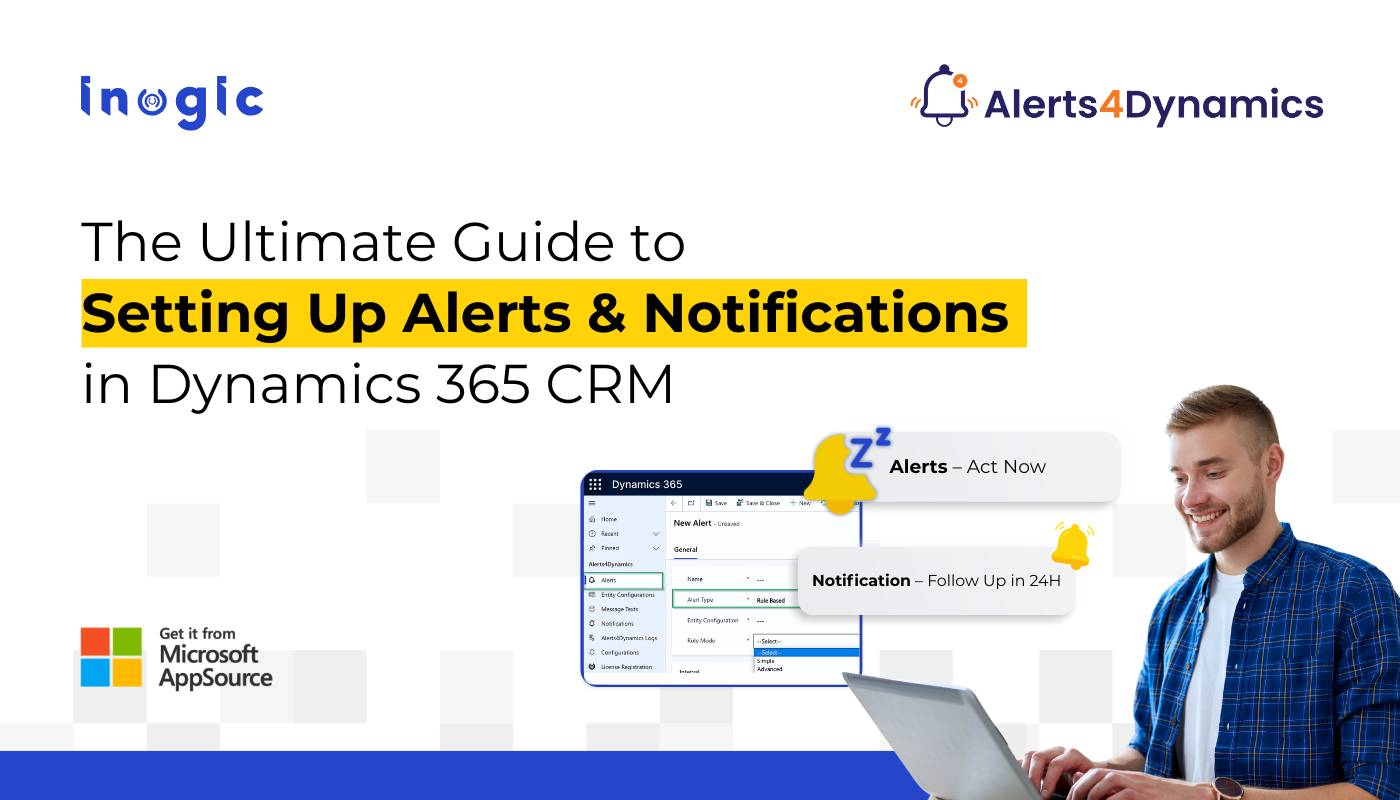
The Ultimate Guide to Setting Up Alerts & Notifications in Dynamics 365 CRM


Alerts & Notifications in Dynamics 365 CRM

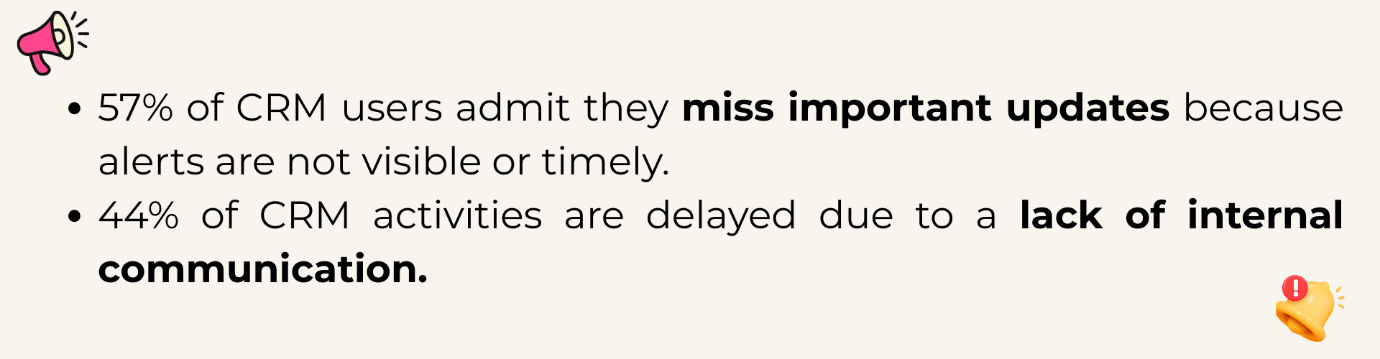
In many businesses, important updates in Dynamics 365 CRM go unnoticed. One delayed update can cost a deal, damage customer trust, or slow down decision-making. Sales teams miss important lead updates, service teams fail to act on escalations, and marketing teams lose track of campaign responses.

Common Challenges Teams Face with Alerts in CRM

  • No real-time alerts inside CRM → missed updates
  • Too many emails → ignored or overlooked
  • No way to alert users based on record changes
  • No support for rich-text messages or multilingual teams
  • Managers do not get notified when targets, deadlines, or SLAs are at risk

Alerts & Notifications in Dynamics 365 CRM

This is exactly why automated alerting is no longer optional; it’s essential.

The Solution: Alerts4Dynamics – The Complete Alert Engine for Dynamics 365 CRM

Dynamics 365 CRM doesn’t offer robust in-app alerts by default.

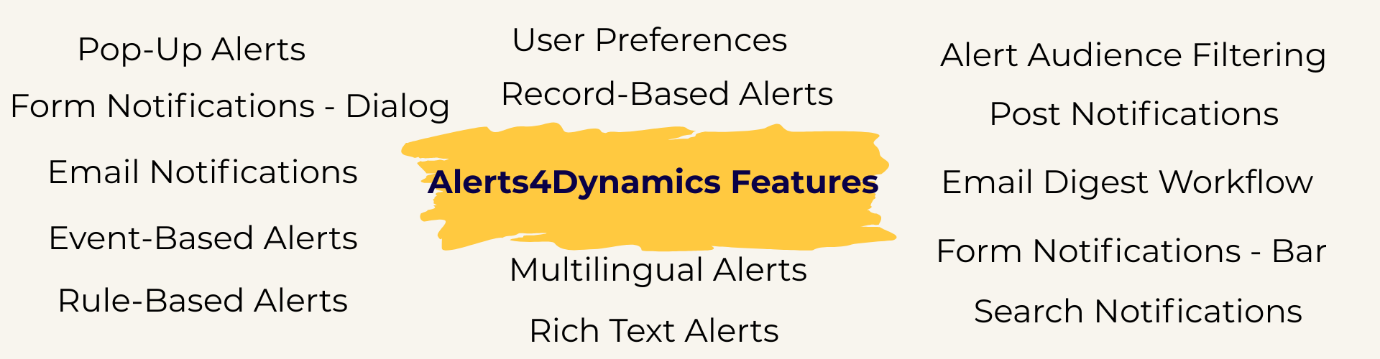
Alerts4Dynamics fills this gap perfectly by supporting pop-ups, form notifications, email alerts, rich text notifications, multilingual content, user preferences, and much more.

Before we dive into the configuration tutorial, let’s explore the key features with practical examples.

Type of Alerts in CRM (With Real Business Examples)

1️. Pop-Up Alerts

Instant notifications that appear in the alerts panel (Bell icon).

Example:

A new lead is created from the website, and the assigned sales rep receives a pop-up alert instantly.

2️. Form Notifications – Dialog

A pop-up box opens automatically when the user enters a record form.

Example:

When entering an Account record with unpaid invoices, users see a dialog warning:

“This customer has 3 overdue invoices. Please review before proceeding.”

Helps service agents make informed decisions instantly.

3️. Form Notifications – Bar

A banner-style alert displayed at the top of record forms.

Example:

A quote nearing expiry shows a yellow bar:

“Quote expires in 3 days. Please follow up with the customer.”

Reduces lost revenue from expired quotes.

4️. Email Notifications

Send alerts directly to internal users or external contacts.

Example:

When an invoice is marked as “Paid,” an email goes to all contacts related to that Account, notifying them about payment confirmation.

Speeds up customer communication without manual emails.

5️. Event-Based Alerts

Trigger alerts when a record is created, updated, or changes status.

Example:

When a case is escalated:

  • The assigned agent gets a pop-up
  • The supervisor gets an email
  • The account manager gets a dialog alert

Ensures immediate action across all departments.

6️. Rule-Based Alerts

Trigger alerts using system views or FetchXML conditions.

Example:

Send alerts for:

  • Opportunities over $50,000
  • Invoices with amount ≥ $1000
  • Accounts without recent interactions

Perfect for automated monitoring of high-impact data.

7️. Record-Based Alerts

Alerts created for individual records.

Example:

A specific quote is expiring in 48 hours → alert only on that record.

Great for one-time reminders.

CRM

Alerts & Notifications in Dynamics 365 CRM

8️. Multilingual Alerts

Display alerts in user’s preferred CRM language.

Example:

English user sees:
“Invoice is overdue.”

French user sees:
“Facture en retard.”

Ideal for global companies.

9️. Rich Text Alerts (Images, Links, Colors, Formatting)

Create visually engaging messages.

Example:

A marketing alert with:

  • Bold text
  • Hyperlink to campaign page
  • Embedded image

Boosts clarity and engagement.

10. User Preferences

Let users choose how they want alerts delivered:

  • Pop-up
  • Email
  • Both
  • Or none

Example:

Sales reps prefer email, service agents prefer pop-ups → Alerts4Dynamics adapts accordingly.

Prevents alert fatigue.

11. Alert Audience Filtering

Show alerts only to selected users, teams, or roles.

Example:

A finance alert is visible only to the finance team, not sales.

Enhances data confidentiality.

12. Post Notifications (Tag Users Like Social Media)

Tag users in Timeline → they receive notifications automatically.

Example:

Support agent tags a sales rep:
“@Bob, please contact this customer regarding renewal.”

13. Email Digest Workflow (Daily/Weekly/Monthly)

Send a summary of unread or active alerts.

Example:

Managers receive a daily digest of:

  • Pending approvals
  • Escalated cases
  • Missed follow-ups

Replaces manual reporting.

1️4. Search Notifications

Quickly find alerts using keywords.

Example:

Sales manager searches “Invoice” to view all invoice-related notifications.

Saves time for high-volume CRM users.

Video Tutorial:

6 Real-Time Alerts Every Sales Team Must Set Up in Dynamics 365 CRM

Step-by-Step Guide: Create an Alert Notification in Dynamics 365 CRM

Step 1 – Open Alerts4Dynamics

Advanced Settings → Alerts4Dynamics → Alerts → New

Step 2 – Choose Alert Type

Record-Based, Rule-Based, or Event-Based

Step 3 – Add Message Text or Rich Text

Add colors, images, links, or formatted text.

Step 4 – Select Delivery Mode

Pop-up, form bar, form dialog, email, or user preference.

Step 5 – Assign Alert Levels

Information, Warning, Critical

Step 6 – Choose Audience

User, team, BU, related records, or entire org.

Step 7 – Activate

Alert becomes live instantly.

Practical Use Cases Across Departments

Sales Use Cases

  • New lead alerts
  • Opportunity stage change alerts
  • Quote expiry warnings
  • High-value deal alerts
  • Renewal reminders

Service Use Cases

  • Case creation alerts
  • SLA breach warnings
  • Escalation notifications
  • Customer dissatisfaction alerts

Marketing Use Cases

  • Event registration alerts
  • Form submission notifications
  • Campaign milestone reminders

Challenges Solved by Alerts4Dynamics

Challenge Impact Solution
Missed data updates Slow response Real-time pop-ups + dialogs
Too many emails Alerts ignored User preference control
No workflow visibility Delayed action Event-based triggers
No multilingual support Miscommunication Multi-language alerts
Poor engagement Alerts overlooked Rich-text notifications

FAQs

1. What are CRM alert notifications?

CRM alert notifications are automated messages that inform users about important updates such as new leads, escalations, deadlines, or record changes. While most CRMs offer basic notifications, tools like Alerts4Dynamics provide advanced real-time pop-ups, form alerts, email alerts, and rich-text messages that ensure nothing gets missed.

2. Why do businesses need alerts in a CRM system?

Alerts help teams respond quickly, reduce missed follow-ups, and stay updated without manually checking every record. A solution like Alerts4Dynamics adds smart, automated alerting to Dynamics 365 CRM, helping sales, service, and marketing teams act instantly.

3. What types of alerts can a CRM send?

CRMs typically support email alerts, reminders, and workflow-based notifications. With Alerts4Dynamics, users can go beyond the basics and send real-time pop-ups, form dialogs, form banners, multilingual alerts, rich-text notifications, audience-filtered alerts, and event-based triggers.

4. How do CRM alerts work?

Alerts trigger based on actions like new record creation, updates, or approaching deadlines. In Dynamics 365 CRM, Alerts4Dynamics makes this easier by allowing no-code configuration of event-based and rule-based alerts that fire instantly when something important happens.

5. Can CRM alerts be customized?

Yes. CRMs allow some customization, but Alerts4Dynamics offers deeper flexibility, colored messages, bold text, images, links, icons, and structured formatting. You can also choose levels like Information, Warning, or Critical.

6. Can I choose who receives CRM alerts?

Absolutely. With Alerts4Dynamics, you can target users, teams, roles, business units, or even related record owners. This ensures alerts reach only the right audience while keeping sensitive information restricted.

7. How do CRM alerts help sales teams?

Sales reps get immediate notifications about new leads, stage changes, high-value deals, and expiring quotes. Alerts4Dynamics helps increase conversions by ensuring reps never miss a follow-up or time-sensitive opportunity.

8. Can CRM alerts help reduce email overload?

Yes. In-app pop-ups in Alerts4Dynamics reduce email dependency. Users can choose how they want to receive alerts: pop-up only, email only, both, or none, helping prevent alert fatigue.

9. Does CRM alerts support multiple languages?

Some CRMs offer partial translation support. Alerts4Dynamics goes further by auto-displaying alerts in the user’s preferred CRM language, making it ideal for global teams.

Final Thoughts: Make Dynamics 365 CRM Smarter with Alerts4Dynamics

Alert automation transforms how your teams communicate.
With Alerts4Dynamics, you empower your organization to:

  • React faster
  • Communicate smarter
  • Boost productivity
  • Improve customer experience
  • Reduce missed follow-ups
  • Deliver timely updates across roles

This is the missing alert infrastructure that Dynamics 365 CRM always needed.

Try Alerts4Dynamics with a 15-day free trial from our website or Microsoft AppSource alert notifications.

Need a live demo? Contact us at crm@inogic.com.

The post The Ultimate Guide to Setting Up Alerts & Notifications in Dynamics 365 CRM first appeared on Microsoft Dynamics 365 CRM Tips and Tricks.

My first XRMToolBox Plugin: Dataverse Users, Security roles, Teams and Teams security roles

Logos featuring a stylized letter 'D' in blue and a wrench icon next to a blue and red graphic element.

I recently released my first XRMToolBox plugin, “Dataverse Users, Security Roles, Teams and Teams Security Roles,” designed to help administrators, developers, and auditors easily explore detailed user access data within Microsoft Dataverse environments.

You can check the below articles in order for more details.

Hope you liked my new XrmToolBox tool “Dataverse Users, Security roles, Teams and Teams security roles“.

Please like and share your valuable feedback on this article. Also, follow my blog to get my articles to your Inbox.

Click on the below image to navigate to my YouTube Channel.

Graphic promoting a YouTube channel with the text 'Has my blog post helped you?' and buttons for 'WATCH', 'LEARN', and 'SUBSCRIBE'.

Below are my earlier articles that you can have a look.

My first XRMToolBox Plugin: Dataverse Users, Security roles, Teams and Teams security roles (Usage)

My first XRMToolBox Plugin: Dataverse Users, Security roles, Teams and Teams security roles (Installation)

My first XRMToolBox Plugin: Dataverse Users, Security roles, Teams and Teams security roles (Overview)

Limited Time Offer: 50% Off Microsoft Certification Vouchers

How to send an automated email in Dataverse using Power Automate?

Understanding Activity Party Types in Dynamics 365 CE

How to configure donotreply email using Shared mailboxes in Dynamics 365 CE?

Microsoft Power Pages: The authentication key for your portal will expire

Microsoft Azure: You’re not eligible for an Azure free account

How to create Microsoft Azure 30 days trial?

Edit in Visual Studio Code for the Web in Power Apps Portals

Error: The object cannot be updated because it is read-only in Microsoft Power Apps

Resolved: Fix connections issue in Power Automate Flow

Clear all objects feature in Power Apps Solutions

Power Automate Error: The ‘inputs.parameters’ of workflow operation of type ‘OpenApiConnection’ is not valid.

Power Automate Error: To use FilteringAttributes, your trigger must include an Update event on Dataverse Trigger

Dynamics 365 CE Solution Import Failed in Azure DevOps Pipelines

Power Automate Error: Cannot write more bytes to the buffer than the configured maximum buffer size: 104857600

Error while opening a Tool in XRMToolBox

The Power Automate Cloud Flows Best Practices Whitepaper is now LIVE!

Error in Power Automate: There’s a problem that needs to be fixed to trigger this flow. To see more details, open Flow checker.

How to get the Dataverse Table’s first row from List Rows in Power Automate?

Microsoft Dataverse Accelerator – Part 2 – Installation

Microsoft Dataverse Accelerator – Part 1 – Introduction

How to get the Database Version of the Dataverse?

API playground feature not available in Dataverse Accelerator App?

How to Explore and test Dataverse in the Web API playground (preview)?

Web resource method does not exist in Dynamics 365 CE

How to get Environment Variable Value in Dynamics 365 CE using JavaScript?

Model-driven Apps – openAlertDialog – JavaScript – Code Snippet

Power Automate – Flow is not running on Trigger condition

Power Automate – Input field Delete option is disabled

Recipient of type ‘Contact’ with ID is marked as non-emailable

Preferred Solution | New feature | Microsoft Dataverse

New and Retired Microsoft Dynamics 365 Certifications

Environment settings behavior (Preview) feature in Model-driven Apps

Error while connecting to Dataverse environment in XrmToolBox

Power Fx Formula Columns in Microsoft Power Apps

How to Enable 2024 Release Wave 1 Updates in the Microsoft Dynamics 365 CE Environment?

Delete and Restore records (Preview) feature in Microsoft Dataverse

Microsoft Power App Environments Retention Period

How to Override the Model-driven app header colors?

Timeline Highlights (New feature) in Microsoft Power Apps

Model-driven App – Cannot “See associate records” option in the sub grid (arunpotti.com)

Bookmark the Important Dynamics 365 URLs

How to Enable Tenant-level analytics for Power Automate and Power Apps?

Microsoft Power Automate Copy and Paste Action in New DesignerHow to Setup Multi-Factor Authentication for your Microsoft Power Apps environment?

Microsoft Power Apps | Modern Themes | Preview feature

How to Download and Install the .NET Framework?

How to Create a SharePoint Site Online?

How to add and use Copilot answer control (Preview) in Microsoft Power Apps?

Dark Mode in Microsoft Power Apps

How to create Microsoft 365 E3 Trial for 30 days?

Refreshed look of solution dependencies in Dataverse Solutions

Microsoft Power Automate | Version History | Restore | New Feature

MICROSOFT LEARN – Artificial Intelligence Skills Challenge​ 2024!!!

Resolved – ‘InvokerConnectionOverrideFailed’ Error When a Power App Custom Page call a Power Automate Flow

How to Create Microsoft Power Apps Trial 30 days?

Not able to Create Power Automate Flow in Custom Page in Model-Driven App?

How to Enable Inline Actions feature in Microsoft Canvas Apps?

How to use /mention in Outlook web client for Dataverse records?

Associate Activities Multiple Related Records (Preview) feature in Microsoft Dynamics 365 CE

How to Enable Aggregation (preview) feature in Microsoft Power Apps?

Power Apps – Some components of this app require you to sign in. If you don’t sign in, part of the app may not work.

How to Enable the SQL Server stored procedures (preview) feature in the Power Apps?

How to get the Client Version of the Model Driven Apps?

How to get Microsoft 365 E3 Trial for 30 days?

How to Enable Copilot for Model-Driven apps feature in Dynamics 365 CE Environment?

[Resolved] Web resource method does not exist in Dynamics 365 CE JavaScript Error

How to Enable Blocking unmanaged customizations (Preview) feature in Dynamics 365 CE?

How to create Microsoft Power Apps Developer Plan Environment?

Microsoft Power Apps Developer Plan vs Power Apps Trial 30 days

What is Microsoft Power Apps Developer Plan?

[Resolved] PCF Field Control not showing anything in the PCF Test Environment?

[Issue Resolved] ReferenceError: Web resource method does not exist in Dynamics 365 CE Javascript Error

[Issue Resolved] Subcomponent cannot be added to the solution because the root component Template is missing in Dataverse

How to Turn Off the Modern Look in the Model Driven Apps?

How to Turn on the New modern, refreshed look for the Model-Driven apps?

Microsoft Power Apps – Apps filter feature

How to Create Microsoft Power Apps 30 days Online Trial Version and an Environment?

Microsoft Power Apps – Solutions filter Preview feature

How to Show the Power Automate complete Expressions?

Dataverse Error: Cannot start the requested operation [EntityCustomization] because there is another [PublishAll] running at this moment.

Power Automate Error: You should specify a contact or account.

How to get the Choice Text and Value in the Dataverse using JavaScript?

Microsoft Dataverse Low Code No Code Plugins

How to convert the Number String to Number Array?

How to Integrate Instant Plugins in the Power Automate Flow?

Power Apps – ‘actionname’ is an unknown or unsupported function in namespace ‘Environment’

Dataverse Browser V1.1.0.1 is available for Dataverse Plugin Debugging

How to Integrate Instant Plugins in the Canvas App?

How to Enable Access to Microsoft Dataverse Actions (Preview feature) in the Power Apps?

How to Create an Instant Plugin in the Dataverse Environment?

How to Install the Microsoft Dataverse Accelerator in the Dataverse Environment?

What is Microsoft Dataverse Accelerator?

How to get the Logged in User Information in the Power Apps?

How to Install Power Platform Tools in Visual Studio Code?

How to Install the Apps from the Microsoft AppSource to your Dataverse Environment?

Microsoft Power Apps Maker Portal has a new look

Microsoft Power Apps Emulator (New Feature)

How to Enable the Dataverse Offline (Experimental Feature) in the Canvas Apps?

How to set the Authoring Version in the Canvas App?

New version of Dataverse Browser is available for Dataverse Plugin Debugging

Latest Free Practice Assessments for Microsoft Certifications

Download CRM 365 V9.X Tools using PowerShell

How to set the Refresh cadence for a Power Platform Environment?

Update forms and views (Preview feature) in Dataverse

How to connect to Microsoft Dataverse in Power Automate Flow using Service principal?

How to Enable Copilot (Preview) feature in Canvas Apps?

How to Debug a Dataverse Plugin without Installing the Profiler in the Plugin Registration Tool?

How to Enable the Licenses (Preview) feature for a Power Platform Environment?

How to Enable Maker Welcome Content (preview) in Power Apps Maker Portal?

How to Enable Managed Environments for a Dataverse Environment?

How to Enable the Modern Controls (Preview feature) in the Canvas Apps?

How to Enable 2023 Release Wave 1 updates in the Dataverse Environment?

How to Deploy Enterprise Applications in the new Dataverse Environment?

What is Preview, Experimental and Retired features in Canvas Apps?

How to Enable the New Power Fx Formula Bar in Power Apps Studio?

Writing Power Fx formulas with natural language

Power Fx Formula Columns in Dataverse

Generating Power Fx formulas from examples

How to Create Dynamics 365 Marketing 30 Days Trial Version Online?

How to disable Multi-Factor Authentication (MFA) on Dynamics 365 Login?

How to Create Microsoft Power Apps 30 days Online Trial Version and an Environment?

My first XRMToolBox Plugin: Dataverse Users, Security roles, Teams and Teams security roles (Usage)

Logos of two software tools: a blue and purple graphic featuring a stylized 'D' and a red, white, and blue logo with a wrench symbol.

In my previous articles, I introduced my plugin tool, “Dataverse Users, Security Roles, Teams, and Team Security Roles“ and explained how to install it using XrmToolBox. In this article, I’ll Walk you through how to use the tool effectively.

Follow the below steps.

Step 1: Open XrmToolBox and search for “Dataverse Users, Security roles, Teams and Teams security roles” in Tools tab.

Click on it.

Screenshot of XrmToolBox interface showing the search bar and the plugin tool 'Dataverse Users, Security roles, Teams and Teams security roles'.

Step 2: Click on Yes to connect to an organization.

Screenshot of the XrmToolBox interface displaying the tool 'Dataverse Users, Security roles, Teams and Teams security roles' with an option to connect to an organization.

Step 3: Select the required connection and click on OK.

Screenshot of the XrmToolBox interface showing the 'Dataverse Users, Security roles, Teams and Teams security roles' tool with a dialog box for selecting connections.

Tool has been opened successfully.

Screenshot of XrmToolBox interface showing the 'Dataverse Users, Security roles' tool with a gray background and zero users retrieved.

Step 4: Click on Load Data.

Screenshot of the XrmToolBox interface showcasing the 'Dataverse Users, Security Roles, Teams' tool, with options to close, load data, and search, displaying zero users retrieved.

Tool will start retrieving all the System user details, Security roles (separated by semicolon ;), Teams (separated by semicolon 😉 and Team Security Roles (separated by semicolon ;).

XrmToolBox interface displaying the Dataverse Users, Security Roles tool, with a loading message indicating retrieval of system user details.

Once, the Tool retrieves the data, you can see the data in the grid and also can see the number of users retrieved.

Screenshot of XrmToolBox displaying user details and security roles for a Dataverse connector, showing fields such as Azure AD Object ID, Full Name, User Status, and User Security Roles.

Step 5: Search for some text to filter the data.

As an example, I have entered the text “System Administrator“, and you can see the grid filtered with the entered text and can see the updated count as well.

Screenshot of the XrmToolBox displaying user data, including user details, security roles, and teams, with a total of 85 users retrieved.

If you want to sort, click on any column in the grid to sort ascending or descending.

As an example, I have clicked on Full Name to sort in Ascending order.

Screenshot of the XrmToolBox displaying a grid of user details including User ID, Application ID, Azure AD Object ID, Domain Name, Business Unit Name, Primary Email, User Status, Access Mode, User Security Roles, and User Teams.

Step 6: Click on Export to export the data in CSV format.

Note: Data will be exported to the CSV format only on the filtered data, which you can see on this grid.

Screenshot of XrmToolBox showing a grid with user details, including User ID, Application ID, Full Name, and Security Roles. Option buttons for Load Data and Export are visible at the top.

Step 7: Choose the required path and Provide the File name.

Click on Save.

User interface showing the file save dialog for exporting data to CSV in XrmToolBox.

Step 8: Once the data is exported successfully, you can see the Information message and the alert dialog with the Path, the file is downloaded.

Click on OK.

Screenshot showing a data export success message in XrmToolBox, indicating the export of user data to a specific file path with a grid of user information displayed.

Step 9: Go to the Downloads folder and open the file to see the data.

Screenshot of an Excel spreadsheet showing exported user and security role data, including columns for User ID, Full Name, and User Status.

Hope you liked my new XrmToolBox tool “Dataverse Users, Security roles, Teams and Teams security roles“.

Please like and share your valuable feedback on this article. Also, follow my blog to get my articles to your Inbox.

Click on the below image to navigate to my YouTube Channel.

Graphic promoting a YouTube channel with the text 'Has my blog post helped you?' and buttons for 'WATCH', 'LEARN', and 'SUBSCRIBE'.

Below are my earlier articles that you can have a look.

My first XRMToolBox Plugin: Dataverse Users, Security roles, Teams and Teams security roles (Installation)

My first XRMToolBox Plugin: Dataverse Users, Security roles, Teams and Teams security roles (Overview)

Limited Time Offer: 50% Off Microsoft Certification Vouchers

How to send an automated email in Dataverse using Power Automate?

Understanding Activity Party Types in Dynamics 365 CE

How to configure donotreply email using Shared mailboxes in Dynamics 365 CE?

Microsoft Power Pages: The authentication key for your portal will expire

Microsoft Azure: You’re not eligible for an Azure free account

How to create Microsoft Azure 30 days trial?

Edit in Visual Studio Code for the Web in Power Apps Portals

Error: The object cannot be updated because it is read-only in Microsoft Power Apps

Resolved: Fix connections issue in Power Automate Flow

Clear all objects feature in Power Apps Solutions

Power Automate Error: The ‘inputs.parameters’ of workflow operation of type ‘OpenApiConnection’ is not valid.

Power Automate Error: To use FilteringAttributes, your trigger must include an Update event on Dataverse Trigger

Dynamics 365 CE Solution Import Failed in Azure DevOps Pipelines

Power Automate Error: Cannot write more bytes to the buffer than the configured maximum buffer size: 104857600

Error while opening a Tool in XRMToolBox

The Power Automate Cloud Flows Best Practices Whitepaper is now LIVE!

Error in Power Automate: There’s a problem that needs to be fixed to trigger this flow. To see more details, open Flow checker.

How to get the Dataverse Table’s first row from List Rows in Power Automate?

Microsoft Dataverse Accelerator – Part 2 – Installation

Microsoft Dataverse Accelerator – Part 1 – Introduction

How to get the Database Version of the Dataverse?

API playground feature not available in Dataverse Accelerator App?

How to Explore and test Dataverse in the Web API playground (preview)?

Web resource method does not exist in Dynamics 365 CE

How to get Environment Variable Value in Dynamics 365 CE using JavaScript?

Model-driven Apps – openAlertDialog – JavaScript – Code Snippet

Power Automate – Flow is not running on Trigger condition

Power Automate – Input field Delete option is disabled

Recipient of type ‘Contact’ with ID is marked as non-emailable

Preferred Solution | New feature | Microsoft Dataverse

New and Retired Microsoft Dynamics 365 Certifications

Environment settings behavior (Preview) feature in Model-driven Apps

Error while connecting to Dataverse environment in XrmToolBox

Power Fx Formula Columns in Microsoft Power Apps

How to Enable 2024 Release Wave 1 Updates in the Microsoft Dynamics 365 CE Environment?

Delete and Restore records (Preview) feature in Microsoft Dataverse

Microsoft Power App Environments Retention Period

How to Override the Model-driven app header colors?

Timeline Highlights (New feature) in Microsoft Power Apps

Model-driven App – Cannot “See associate records” option in the sub grid (arunpotti.com)

Bookmark the Important Dynamics 365 URLs

How to Enable Tenant-level analytics for Power Automate and Power Apps?

Microsoft Power Automate Copy and Paste Action in New DesignerHow to Setup Multi-Factor Authentication for your Microsoft Power Apps environment?

Microsoft Power Apps | Modern Themes | Preview feature

How to Download and Install the .NET Framework?

How to Create a SharePoint Site Online?

How to add and use Copilot answer control (Preview) in Microsoft Power Apps?

Dark Mode in Microsoft Power Apps

How to create Microsoft 365 E3 Trial for 30 days?

Refreshed look of solution dependencies in Dataverse Solutions

Microsoft Power Automate | Version History | Restore | New Feature

MICROSOFT LEARN – Artificial Intelligence Skills Challenge​ 2024!!!

Resolved – ‘InvokerConnectionOverrideFailed’ Error When a Power App Custom Page call a Power Automate Flow

How to Create Microsoft Power Apps Trial 30 days?

Not able to Create Power Automate Flow in Custom Page in Model-Driven App?

How to Enable Inline Actions feature in Microsoft Canvas Apps?

How to use /mention in Outlook web client for Dataverse records?

Associate Activities Multiple Related Records (Preview) feature in Microsoft Dynamics 365 CE

How to Enable Aggregation (preview) feature in Microsoft Power Apps?

Power Apps – Some components of this app require you to sign in. If you don’t sign in, part of the app may not work.

How to Enable the SQL Server stored procedures (preview) feature in the Power Apps?

How to get the Client Version of the Model Driven Apps?

How to get Microsoft 365 E3 Trial for 30 days?

How to Enable Copilot for Model-Driven apps feature in Dynamics 365 CE Environment?

[Resolved] Web resource method does not exist in Dynamics 365 CE JavaScript Error

How to Enable Blocking unmanaged customizations (Preview) feature in Dynamics 365 CE?

How to create Microsoft Power Apps Developer Plan Environment?

Microsoft Power Apps Developer Plan vs Power Apps Trial 30 days

What is Microsoft Power Apps Developer Plan?

[Resolved] PCF Field Control not showing anything in the PCF Test Environment?

[Issue Resolved] ReferenceError: Web resource method does not exist in Dynamics 365 CE Javascript Error

[Issue Resolved] Subcomponent cannot be added to the solution because the root component Template is missing in Dataverse

How to Turn Off the Modern Look in the Model Driven Apps?

How to Turn on the New modern, refreshed look for the Model-Driven apps?

Microsoft Power Apps – Apps filter feature

How to Create Microsoft Power Apps 30 days Online Trial Version and an Environment?

Microsoft Power Apps – Solutions filter Preview feature

How to Show the Power Automate complete Expressions?

Dataverse Error: Cannot start the requested operation [EntityCustomization] because there is another [PublishAll] running at this moment.

Power Automate Error: You should specify a contact or account.

How to get the Choice Text and Value in the Dataverse using JavaScript?

Microsoft Dataverse Low Code No Code Plugins

How to convert the Number String to Number Array?

How to Integrate Instant Plugins in the Power Automate Flow?

Power Apps – ‘actionname’ is an unknown or unsupported function in namespace ‘Environment’

Dataverse Browser V1.1.0.1 is available for Dataverse Plugin Debugging

How to Integrate Instant Plugins in the Canvas App?

How to Enable Access to Microsoft Dataverse Actions (Preview feature) in the Power Apps?

How to Create an Instant Plugin in the Dataverse Environment?

How to Install the Microsoft Dataverse Accelerator in the Dataverse Environment?

What is Microsoft Dataverse Accelerator?

How to get the Logged in User Information in the Power Apps?

How to Install Power Platform Tools in Visual Studio Code?

How to Install the Apps from the Microsoft AppSource to your Dataverse Environment?

Microsoft Power Apps Maker Portal has a new look

Microsoft Power Apps Emulator (New Feature)

How to Enable the Dataverse Offline (Experimental Feature) in the Canvas Apps?

How to set the Authoring Version in the Canvas App?

New version of Dataverse Browser is available for Dataverse Plugin Debugging

Latest Free Practice Assessments for Microsoft Certifications

Download CRM 365 V9.X Tools using PowerShell

How to set the Refresh cadence for a Power Platform Environment?

Update forms and views (Preview feature) in Dataverse

How to connect to Microsoft Dataverse in Power Automate Flow using Service principal?

How to Enable Copilot (Preview) feature in Canvas Apps?

How to Debug a Dataverse Plugin without Installing the Profiler in the Plugin Registration Tool?

How to Enable the Licenses (Preview) feature for a Power Platform Environment?

How to Enable Maker Welcome Content (preview) in Power Apps Maker Portal?

How to Enable Managed Environments for a Dataverse Environment?

How to Enable the Modern Controls (Preview feature) in the Canvas Apps?

How to Enable 2023 Release Wave 1 updates in the Dataverse Environment?

How to Deploy Enterprise Applications in the new Dataverse Environment?

What is Preview, Experimental and Retired features in Canvas Apps?

How to Enable the New Power Fx Formula Bar in Power Apps Studio?

Writing Power Fx formulas with natural language

Power Fx Formula Columns in Dataverse

Generating Power Fx formulas from examples

How to Create Dynamics 365 Marketing 30 Days Trial Version Online?

How to disable Multi-Factor Authentication (MFA) on Dynamics 365 Login?

How to Create Microsoft Power Apps 30 days Online Trial Version and an Environment?

My first XRMToolBox Plugin: Dataverse Users, Security roles, Teams and Teams security roles (Installation)

Logo of a software application with a stylized letter 'D' in blue tones, accompanied by a wrench icon and another logo featuring geometric shapes in blue and red.

In my last article, I had explained about my new Plugin “Dataverse Users, Security roles, Teams and Teams security roles” overview and in this article, will explain about its installation.

Follow the below steps for installing this plugin in XrmToolBox.

Step 1: Click on the link to open XrmToolBox website.

Screenshot of the XrmToolBox website, displaying the header 'XrmToolBox: The Ultimate Set of Tools for Microsoft Dataverse' and a download button for the latest version.

Step 2: Click on the Download latest version.

Screenshot of the XrmToolBox homepage showcasing the download button for the latest version of the software.

Step 3: Click on Folder icon in Downloads.

The XrmToolBox website interface displaying a download notification for 'XrmToolbox.zip' with an arrow indicating the 'Open file' option.

Step 4: Right click on the folder and click on Extract All.

Screenshot of a computer screen showing the Downloads folder with an open context menu displaying options including 'Extract All' for a zip file named 'XrmToolbox.zip'.

Step 5: Click on Extract.

Screenshot of the 'Extract Compressed (Zipped) Folders' window, showing the destination folder path and the 'Extract' button.

Step 6: Once the file is extracted, click on it to open the folder.

Screenshot of the Windows Downloads folder showing the 'XrmToolbox.zip' file and the extracted 'XrmToolbox' folder.

Step 7: Click on the XrmToolBox.exe to open the XrmToolBox executable file.

Screenshot of the XrmToolBox folder in a Windows file explorer, showing various files and their details such as size and date modified.

XrmToolBox is opening…

XrmToolBox loading screen displaying the logo and tagline for Microsoft Dataverse and Microsoft Dynamics 365 tools.

Step 8: Click on Open Tool Library from Quick actions.

Or

Click on Configuration -> Tool Library.

XrmToolBox tool library menu showing options including 'Open Tool Library', 'Manage Connections', 'Settings', and 'Help'.

Step 9: Search for “Dataverse Users, Security roles, Teams and Teams security roles“.

XrmToolBox interface showing the search functionality for 'Dataverse Users, Security roles, Teams and Teams security roles' plugin.

Step 10: Select the Tool and Click on Install.

Screenshot of the XrmToolBox interface displaying the Tool Library, with the Dataverse Users, Security roles, Teams and Teams security roles plugin highlighted.

Step 11: Click on Yes to install this tool.

XrmToolBox interface showing the Dataverse Users, Security roles, Teams and Teams security roles plugin with a confirmation dialog asking if the user is sure they want to install the tool.

Step 12: Once the Installation is done successfully, you can see the below.

Click on Close.

XrmToolBox interface showing the installation process for the Dataverse Users, Security roles, Teams and Teams security roles plugin, with progress indicators for downloading and installing.

Step 13: Click on Tools tab.

Screenshot of the XrmToolBox interface highlighting the 'Tools' tab at the top.

Step 14: Search for “Dataverse Users, Security roles, Teams and Teams security roles“.

You can see my tool, which has been successfully installed.

Screenshot of XrmToolBox showing the tool 'Dataverse Users, Security roles, Teams and Teams security roles' with details including its version number and author.

In the next article, will explain about how to use this tool.

Hope you had successfully Installed “Dataverse Users, Security roles, Teams and Teams security roles” plugin in XrmToolBox.

Please like and share your valuable feedback on this article. Also, follow my blog to get my articles to your Inbox.

Click on the below image to navigate to my YouTube Channel.

Graphic promoting a YouTube channel with the text 'Has my blog post helped you?' and buttons for 'WATCH', 'LEARN', and 'SUBSCRIBE'.

Below are my earlier articles that you can have a look.

My first XRMToolBox Plugin: Dataverse Users, Security roles, Teams and Teams security roles (Overview)

Limited Time Offer: 50% Off Microsoft Certification Vouchers

How to send an automated email in Dataverse using Power Automate?

Understanding Activity Party Types in Dynamics 365 CE

How to configure donotreply email using Shared mailboxes in Dynamics 365 CE?

Microsoft Power Pages: The authentication key for your portal will expire

Microsoft Azure: You’re not eligible for an Azure free account

How to create Microsoft Azure 30 days trial?

Edit in Visual Studio Code for the Web in Power Apps Portals

Error: The object cannot be updated because it is read-only in Microsoft Power Apps

Resolved: Fix connections issue in Power Automate Flow

Clear all objects feature in Power Apps Solutions

Power Automate Error: The ‘inputs.parameters’ of workflow operation of type ‘OpenApiConnection’ is not valid.

Power Automate Error: To use FilteringAttributes, your trigger must include an Update event on Dataverse Trigger

Dynamics 365 CE Solution Import Failed in Azure DevOps Pipelines

Power Automate Error: Cannot write more bytes to the buffer than the configured maximum buffer size: 104857600

Error while opening a Tool in XRMToolBox

The Power Automate Cloud Flows Best Practices Whitepaper is now LIVE!

Error in Power Automate: There’s a problem that needs to be fixed to trigger this flow. To see more details, open Flow checker.

How to get the Dataverse Table’s first row from List Rows in Power Automate?

Microsoft Dataverse Accelerator – Part 2 – Installation

Microsoft Dataverse Accelerator – Part 1 – Introduction

How to get the Database Version of the Dataverse?

API playground feature not available in Dataverse Accelerator App?

How to Explore and test Dataverse in the Web API playground (preview)?

Web resource method does not exist in Dynamics 365 CE

How to get Environment Variable Value in Dynamics 365 CE using JavaScript?

Model-driven Apps – openAlertDialog – JavaScript – Code Snippet

Power Automate – Flow is not running on Trigger condition

Power Automate – Input field Delete option is disabled

Recipient of type ‘Contact’ with ID is marked as non-emailable

Preferred Solution | New feature | Microsoft Dataverse

New and Retired Microsoft Dynamics 365 Certifications

Environment settings behavior (Preview) feature in Model-driven Apps

Error while connecting to Dataverse environment in XrmToolBox

Power Fx Formula Columns in Microsoft Power Apps

How to Enable 2024 Release Wave 1 Updates in the Microsoft Dynamics 365 CE Environment?

Delete and Restore records (Preview) feature in Microsoft Dataverse

Microsoft Power App Environments Retention Period

How to Override the Model-driven app header colors?

Timeline Highlights (New feature) in Microsoft Power Apps

Model-driven App – Cannot “See associate records” option in the sub grid (arunpotti.com)

Bookmark the Important Dynamics 365 URLs

How to Enable Tenant-level analytics for Power Automate and Power Apps?

Microsoft Power Automate Copy and Paste Action in New DesignerHow to Setup Multi-Factor Authentication for your Microsoft Power Apps environment?

Microsoft Power Apps | Modern Themes | Preview feature

How to Download and Install the .NET Framework?

How to Create a SharePoint Site Online?

How to add and use Copilot answer control (Preview) in Microsoft Power Apps?

Dark Mode in Microsoft Power Apps

How to create Microsoft 365 E3 Trial for 30 days?

Refreshed look of solution dependencies in Dataverse Solutions

Microsoft Power Automate | Version History | Restore | New Feature

MICROSOFT LEARN – Artificial Intelligence Skills Challenge​ 2024!!!

Resolved – ‘InvokerConnectionOverrideFailed’ Error When a Power App Custom Page call a Power Automate Flow

How to Create Microsoft Power Apps Trial 30 days?

Not able to Create Power Automate Flow in Custom Page in Model-Driven App?

How to Enable Inline Actions feature in Microsoft Canvas Apps?

How to use /mention in Outlook web client for Dataverse records?

Associate Activities Multiple Related Records (Preview) feature in Microsoft Dynamics 365 CE

How to Enable Aggregation (preview) feature in Microsoft Power Apps?

Power Apps – Some components of this app require you to sign in. If you don’t sign in, part of the app may not work.

How to Enable the SQL Server stored procedures (preview) feature in the Power Apps?

How to get the Client Version of the Model Driven Apps?

How to get Microsoft 365 E3 Trial for 30 days?

How to Enable Copilot for Model-Driven apps feature in Dynamics 365 CE Environment?

[Resolved] Web resource method does not exist in Dynamics 365 CE JavaScript Error

How to Enable Blocking unmanaged customizations (Preview) feature in Dynamics 365 CE?

How to create Microsoft Power Apps Developer Plan Environment?

Microsoft Power Apps Developer Plan vs Power Apps Trial 30 days

What is Microsoft Power Apps Developer Plan?

[Resolved] PCF Field Control not showing anything in the PCF Test Environment?

[Issue Resolved] ReferenceError: Web resource method does not exist in Dynamics 365 CE Javascript Error

[Issue Resolved] Subcomponent cannot be added to the solution because the root component Template is missing in Dataverse

How to Turn Off the Modern Look in the Model Driven Apps?

How to Turn on the New modern, refreshed look for the Model-Driven apps?

Microsoft Power Apps – Apps filter feature

How to Create Microsoft Power Apps 30 days Online Trial Version and an Environment?

Microsoft Power Apps – Solutions filter Preview feature

How to Show the Power Automate complete Expressions?

Dataverse Error: Cannot start the requested operation [EntityCustomization] because there is another [PublishAll] running at this moment.

Power Automate Error: You should specify a contact or account.

How to get the Choice Text and Value in the Dataverse using JavaScript?

Microsoft Dataverse Low Code No Code Plugins

How to convert the Number String to Number Array?

How to Integrate Instant Plugins in the Power Automate Flow?

Power Apps – ‘actionname’ is an unknown or unsupported function in namespace ‘Environment’

Dataverse Browser V1.1.0.1 is available for Dataverse Plugin Debugging

How to Integrate Instant Plugins in the Canvas App?

How to Enable Access to Microsoft Dataverse Actions (Preview feature) in the Power Apps?

How to Create an Instant Plugin in the Dataverse Environment?

How to Install the Microsoft Dataverse Accelerator in the Dataverse Environment?

What is Microsoft Dataverse Accelerator?

How to get the Logged in User Information in the Power Apps?

How to Install Power Platform Tools in Visual Studio Code?

How to Install the Apps from the Microsoft AppSource to your Dataverse Environment?

Microsoft Power Apps Maker Portal has a new look

Microsoft Power Apps Emulator (New Feature)

How to Enable the Dataverse Offline (Experimental Feature) in the Canvas Apps?

How to set the Authoring Version in the Canvas App?

New version of Dataverse Browser is available for Dataverse Plugin Debugging

Latest Free Practice Assessments for Microsoft Certifications

Download CRM 365 V9.X Tools using PowerShell

How to set the Refresh cadence for a Power Platform Environment?

Update forms and views (Preview feature) in Dataverse

How to connect to Microsoft Dataverse in Power Automate Flow using Service principal?

How to Enable Copilot (Preview) feature in Canvas Apps?

How to Debug a Dataverse Plugin without Installing the Profiler in the Plugin Registration Tool?

How to Enable the Licenses (Preview) feature for a Power Platform Environment?

How to Enable Maker Welcome Content (preview) in Power Apps Maker Portal?

How to Enable Managed Environments for a Dataverse Environment?

How to Enable the Modern Controls (Preview feature) in the Canvas Apps?

How to Enable 2023 Release Wave 1 updates in the Dataverse Environment?

How to Deploy Enterprise Applications in the new Dataverse Environment?

What is Preview, Experimental and Retired features in Canvas Apps?

How to Enable the New Power Fx Formula Bar in Power Apps Studio?

Writing Power Fx formulas with natural language

Power Fx Formula Columns in Dataverse

Generating Power Fx formulas from examples

How to Create Dynamics 365 Marketing 30 Days Trial Version Online?

How to disable Multi-Factor Authentication (MFA) on Dynamics 365 Login?

How to Create Microsoft Power Apps 30 days Online Trial Version and an Environment?

My first XRMToolBox Plugin: Dataverse Users, Security roles, Teams and Teams security roles (Overview)

Logos featuring a stylized letter 'D' in blue and a wrench icon next to a blue and red graphic element.

I have recently published my first XRMToolBox Plugin “Dataverse Users, Security roles, Teams and Teams security roles” related to Dataverse Security, which helps administrators, developers, and auditors retrieve and explore detailed user access information from Microsoft Dataverse environments.

You can check the below for the Overview, Key Features, Use Cases and Data Export of my Plugin.

📦 Overview

This plugin provides a comprehensive view of Dataverse users and their access configurations, including:

  • 👤 User Details: UserId, ApplicationId, Full Name, Email, User Status, Business Unit, Azure AD Object ID etc.
  • 🛡 User Security Roles (Separated by semicolon 😉
  • 👥 User Teams (Separated by semicolon 😉
  • 🛡 Team Security Roles (Separated by semicolon 😉

🧰 Key Features

  • 🔎 Global Search: Use a single search box to find any text across all retrieved user fields
  • ↕ Column Sorting: Sort by any field for easier navigation and analysis
  • 📤 CSV Export: Export all data or filtered search results to a .csv file with a custom filename
  • 📊 Detailed Metadata: View additional fields like domain name, business unit ID, and application ID
  • ⚡ Fast Performance: Optimized for large datasets with responsive UI
  • 🧭 User-Friendly Interface: Intuitive layout with minimal setup required
  • 🔄 Refresh Capability: Reload data without restarting the plugin with a single click
  • 📁 Offline Analysis: Exported data can be used for reporting, auditing, or compliance reviews

📋 Use Cases

  • 🔐 Security Audits: Identify users with elevated or missing roles
  • 🧾 Compliance Reporting: Export user-role mappings for documentation
  • 👥 Team Management: Understand team memberships and inherited roles
  • 🧹 Environment Cleanup: Detect inactive users or redundant access
  • 📈 Access Reviews: Analyze user metadata for governance and policy enforcement

📤 Data Export

  • Click the Export button to download data as a .csv file
  • Choose your own filename
  • Export either full dataset or filtered results based on search

Hope you liked my new plugin in the XrmToolBox.

In the next article, will explain about how to install this plugin in the XrmToolBox.

Please like and share your valuable feedback on this article. Also, follow my blog to get my articles to your Inbox.

Click on the below image to navigate to my YouTube Channel.

Graphic promoting a YouTube channel with the text 'Has my blog post helped you?' and buttons for 'WATCH', 'LEARN', and 'SUBSCRIBE'.

Below are my earlier articles that you can have a look.

Limited Time Offer: 50% Off Microsoft Certification Vouchers

How to send an automated email in Dataverse using Power Automate?

Understanding Activity Party Types in Dynamics 365 CE

How to configure donotreply email using Shared mailboxes in Dynamics 365 CE?

Microsoft Power Pages: The authentication key for your portal will expire

Microsoft Azure: You’re not eligible for an Azure free account

How to create Microsoft Azure 30 days trial?

Edit in Visual Studio Code for the Web in Power Apps Portals

Error: The object cannot be updated because it is read-only in Microsoft Power Apps

Resolved: Fix connections issue in Power Automate Flow

Clear all objects feature in Power Apps Solutions

Power Automate Error: The ‘inputs.parameters’ of workflow operation of type ‘OpenApiConnection’ is not valid.

Power Automate Error: To use FilteringAttributes, your trigger must include an Update event on Dataverse Trigger

Dynamics 365 CE Solution Import Failed in Azure DevOps Pipelines

Power Automate Error: Cannot write more bytes to the buffer than the configured maximum buffer size: 104857600

Error while opening a Tool in XRMToolBox

The Power Automate Cloud Flows Best Practices Whitepaper is now LIVE!

Error in Power Automate: There’s a problem that needs to be fixed to trigger this flow. To see more details, open Flow checker.

How to get the Dataverse Table’s first row from List Rows in Power Automate?

Microsoft Dataverse Accelerator – Part 2 – Installation

Microsoft Dataverse Accelerator – Part 1 – Introduction

How to get the Database Version of the Dataverse?

API playground feature not available in Dataverse Accelerator App?

How to Explore and test Dataverse in the Web API playground (preview)?

Web resource method does not exist in Dynamics 365 CE

How to get Environment Variable Value in Dynamics 365 CE using JavaScript?

Model-driven Apps – openAlertDialog – JavaScript – Code Snippet

Power Automate – Flow is not running on Trigger condition

Power Automate – Input field Delete option is disabled

Recipient of type ‘Contact’ with ID is marked as non-emailable

Preferred Solution | New feature | Microsoft Dataverse

New and Retired Microsoft Dynamics 365 Certifications

Environment settings behavior (Preview) feature in Model-driven Apps

Error while connecting to Dataverse environment in XrmToolBox

Power Fx Formula Columns in Microsoft Power Apps

How to Enable 2024 Release Wave 1 Updates in the Microsoft Dynamics 365 CE Environment?

Delete and Restore records (Preview) feature in Microsoft Dataverse

Microsoft Power App Environments Retention Period

How to Override the Model-driven app header colors?

Timeline Highlights (New feature) in Microsoft Power Apps

Model-driven App – Cannot “See associate records” option in the sub grid (arunpotti.com)

Bookmark the Important Dynamics 365 URLs

How to Enable Tenant-level analytics for Power Automate and Power Apps?

Microsoft Power Automate Copy and Paste Action in New DesignerHow to Setup Multi-Factor Authentication for your Microsoft Power Apps environment?

Microsoft Power Apps | Modern Themes | Preview feature

How to Download and Install the .NET Framework?

How to Create a SharePoint Site Online?

How to add and use Copilot answer control (Preview) in Microsoft Power Apps?

Dark Mode in Microsoft Power Apps

How to create Microsoft 365 E3 Trial for 30 days?

Refreshed look of solution dependencies in Dataverse Solutions

Microsoft Power Automate | Version History | Restore | New Feature

MICROSOFT LEARN – Artificial Intelligence Skills Challenge​ 2024!!!

Resolved – ‘InvokerConnectionOverrideFailed’ Error When a Power App Custom Page call a Power Automate Flow

How to Create Microsoft Power Apps Trial 30 days?

Not able to Create Power Automate Flow in Custom Page in Model-Driven App?

How to Enable Inline Actions feature in Microsoft Canvas Apps?

How to use /mention in Outlook web client for Dataverse records?

Associate Activities Multiple Related Records (Preview) feature in Microsoft Dynamics 365 CE

How to Enable Aggregation (preview) feature in Microsoft Power Apps?

Power Apps – Some components of this app require you to sign in. If you don’t sign in, part of the app may not work.

How to Enable the SQL Server stored procedures (preview) feature in the Power Apps?

How to get the Client Version of the Model Driven Apps?

How to get Microsoft 365 E3 Trial for 30 days?

How to Enable Copilot for Model-Driven apps feature in Dynamics 365 CE Environment?

[Resolved] Web resource method does not exist in Dynamics 365 CE JavaScript Error

How to Enable Blocking unmanaged customizations (Preview) feature in Dynamics 365 CE?

How to create Microsoft Power Apps Developer Plan Environment?

Microsoft Power Apps Developer Plan vs Power Apps Trial 30 days

What is Microsoft Power Apps Developer Plan?

[Resolved] PCF Field Control not showing anything in the PCF Test Environment?

[Issue Resolved] ReferenceError: Web resource method does not exist in Dynamics 365 CE Javascript Error

[Issue Resolved] Subcomponent cannot be added to the solution because the root component Template is missing in Dataverse

How to Turn Off the Modern Look in the Model Driven Apps?

How to Turn on the New modern, refreshed look for the Model-Driven apps?

Microsoft Power Apps – Apps filter feature

How to Create Microsoft Power Apps 30 days Online Trial Version and an Environment?

Microsoft Power Apps – Solutions filter Preview feature

How to Show the Power Automate complete Expressions?

Dataverse Error: Cannot start the requested operation [EntityCustomization] because there is another [PublishAll] running at this moment.

Power Automate Error: You should specify a contact or account.

How to get the Choice Text and Value in the Dataverse using JavaScript?

Microsoft Dataverse Low Code No Code Plugins

How to convert the Number String to Number Array?

How to Integrate Instant Plugins in the Power Automate Flow?

Power Apps – ‘actionname’ is an unknown or unsupported function in namespace ‘Environment’

Dataverse Browser V1.1.0.1 is available for Dataverse Plugin Debugging

How to Integrate Instant Plugins in the Canvas App?

How to Enable Access to Microsoft Dataverse Actions (Preview feature) in the Power Apps?

How to Create an Instant Plugin in the Dataverse Environment?

How to Install the Microsoft Dataverse Accelerator in the Dataverse Environment?

What is Microsoft Dataverse Accelerator?

How to get the Logged in User Information in the Power Apps?

How to Install Power Platform Tools in Visual Studio Code?

How to Install the Apps from the Microsoft AppSource to your Dataverse Environment?

Microsoft Power Apps Maker Portal has a new look

Microsoft Power Apps Emulator (New Feature)

How to Enable the Dataverse Offline (Experimental Feature) in the Canvas Apps?

How to set the Authoring Version in the Canvas App?

New version of Dataverse Browser is available for Dataverse Plugin Debugging

Latest Free Practice Assessments for Microsoft Certifications

Download CRM 365 V9.X Tools using PowerShell

How to set the Refresh cadence for a Power Platform Environment?

Update forms and views (Preview feature) in Dataverse

How to connect to Microsoft Dataverse in Power Automate Flow using Service principal?

How to Enable Copilot (Preview) feature in Canvas Apps?

How to Debug a Dataverse Plugin without Installing the Profiler in the Plugin Registration Tool?

How to Enable the Licenses (Preview) feature for a Power Platform Environment?

How to Enable Maker Welcome Content (preview) in Power Apps Maker Portal?

How to Enable Managed Environments for a Dataverse Environment?

How to Enable the Modern Controls (Preview feature) in the Canvas Apps?

How to Enable 2023 Release Wave 1 updates in the Dataverse Environment?

How to Deploy Enterprise Applications in the new Dataverse Environment?

What is Preview, Experimental and Retired features in Canvas Apps?

How to Enable the New Power Fx Formula Bar in Power Apps Studio?

Writing Power Fx formulas with natural language

Power Fx Formula Columns in Dataverse

Generating Power Fx formulas from examples

How to Create Dynamics 365 Marketing 30 Days Trial Version Online?

How to disable Multi-Factor Authentication (MFA) on Dynamics 365 Login?

How to Create Microsoft Power Apps 30 days Online Trial Version and an Environment?

Boost Customer Interaction Using WhatsApp in CRM: A Complete Integration Guide!

WhatsApp CRM

The 5-Minute Response Gap That’s Costing You Customers

98% of WhatsApp messages are read within 3 minutes. Compare that to emails, where only 20% are opened within the first hour and you’ll start to see why your customers are frustrated.

Your sales team sent 50 follow-up emails last week. Only 8 got responses. Meanwhile, your competitors are having real-time conversations with your prospects on WhatsApp and closing deals before you even get a reply.

The modern customer doesn’t wait. They text, they message, they expect instant responses. And if your CRM isn’t built for real-time, conversational engagement, you’re already falling behind.

That’s exactly why businesses are racing to implement WhatsApp integration in Dynamics 365, turning their CRM from a database into a dynamic conversation hub.

Why Traditional CRM Communication is Failing Your Customers

Let’s be honest: email and phone calls aren’t cutting it anymore. Here’s what your current CRM communication looks like from your customer’s perspective:

  • Average response time: 24-48 hours (if they’re lucky)
  • Open rates: Declining year over year as inboxes overflow
  • Customer frustration: “Why haven’t they gotten back to me?”
  • Your CRM sends automated email reminders that no one reads
  • Sales reps spend hours chasing prospects via outdated channels
  • Customer service tickets stall waiting for responses
  • The cost: 67% of customers abandon a purchase because they couldn’t get timely support

Here’s the critical stat: 75% of customers expect responses within 5 minutes for urgent queries. Your current CRM communication channels can’t deliver that. But WhatsApp can.

The problem isn’t your team’s effort; it’s that you’re using 2010 tools to meet 2025 expectations. You can integrate WhatsApp with Dynamics 365 to bridge that gap, transforming your CRM from a static record-keeper into a real-time engagement platform.

WhatsApp Integration in Dynamics 365: Your Competitive Advantage

Enter WhatsApp: the channel where your customers already spend hours every day. With over 2 billion active users globally, WhatsApp isn’t just a messaging app; it’s where modern business conversations happen.

When you integrate WhatsApp with Dynamics 365, something powerful happens: every customer chat, every query, every update flows directly into your CRM workspace. No app-switching. No copy-pasting. No information silos.

Why WhatsApp Changes the Game

  • Instant Connection: Meet customers where they are on the app they already trust and use daily
  • Rich Media Sharing: Send product catalogs, payment links, support videos, and documents directly in chat
  • Verified Business Presence: WhatsApp Business API provides a green checkmark that builds instant trust
  • Global Reach: Connect with customers across 180+ countries without worrying about SMS costs or international calling
  • High Engagement Rates: WhatsApp messages have a 98% open rate compared to 20% for email

Introducing WhatsApp4Dynamics: The Bridge Between Conversations and CRM

But here’s the challenge: WhatsApp and Dynamics 365 don’t talk to each other natively. That’s where WhatsApp4Dynamics comes in a purpose-built WhatsApp connector for Dynamics CRM that brings these two powerhouses together.

With WhatsApp4Dynamics, your team can:

✅ Chat directly from Dynamics 365: No toggling between apps, WhatsApp conversations live inside your CRM interface

✅ Link chats to records: Every WhatsApp conversation automatically connects to the relevant Contact, Lead, Account, or Case record

✅ Share rich media: Send images, PDFs, videos, and voice notes without leaving the CRM

✅ Use pre-approved templates: Comply with WhatsApp Business Policy while sending quick, consistent messages

✅ Track conversation history: Complete audit trail of all customer interactions for better collaboration

✅ Automate workflows: Trigger Dynamics 365 processes based on WhatsApp interactions

This isn’t just a messaging add-on. It’s a complete transformation of how your team engages with customers, making WhatsApp integration in Dynamics CRM the foundation of modern customer interaction.

How to Get Started: Implementing WhatsApp Integration in Dynamics 365

Ready to transform your customer engagement? Here’s your roadmap to integrate WhatsApp in Dynamics 365 using WhatsApp4Dynamics:

Step 1: Set Up Your WhatsApp Business Account

  • Register for a WhatsApp Business API account (not the same as WhatsApp Business app)
  • Verify your business with Meta (Facebook)
  • Get your phone number verified and approved
  • Configure your business profile (company name, description, logo, business hours)

Time Required: 2-3 business days for verification

Step 2: Install WhatsApp4Dynamics from AppSource

  • Navigate to Microsoft AppSource or Dynamics 365 admin center
  • Search for “WhatsApp4Dynamics” by Inogic
  • Click “Get it now” and follow installation prompts
  • Choose which Dynamics 365 environments to deploy to

Time Required: 15-20 minutes

No Coding Required: The entire installation is a click-based configuration

Step 3: Connect WhatsApp to Your Dynamics 365 Environment

  • Open the WhatsApp4Dynamics configuration center in Dynamics 365
  • Authenticate your WhatsApp Business API account
  • Map your WhatsApp business phone number to Dynamics 365
  • Set permissions for which users/teams can access WhatsApp features

Time Required: 10-15 minutes

Step 4: Configure Entity Mappings

Decide how WhatsApp conversations connect to your CRM data:

  • Contacts: Link WhatsApp chats to Contact records automatically
  • Accounts: Associate conversations with company/organization records
  • Leads: Enable the sales team to engage leads via WhatsApp
  • Cases: Allow support team to manage tickets through WhatsApp
  • Custom Entities: Map to your unique business processes

Time Required: 20-30 minutes, depending on complexity

Step 5: Set Up Templates and Automation

  • Create pre-approved WhatsApp message templates (required by WhatsApp Business Policy)
  • Common templates to start with:
  • Welcome message
  • Appointment confirmation/reminder
  • Order status update
  • Support ticket acknowledgment
  • Follow-up after purchase/meeting
  • Configure automatic workflows:
    • Auto-send template when lead is created
    • Trigger notification when the case is resolved
    • Schedule follow-up messages based on customer actions

Time Required: 1-2 hours for the initial template library

AI-Powered WhatsApp Conversations: The Future is Now

Here’s where it gets exciting. WhatsApp integration in Dynamics 365 isn’t just about connecting two platforms; it’s about unlocking AI capabilities that make every conversation smarter.

Sentiment Analysis: Know How Customers Feel

Your support agent opens a WhatsApp conversation. Before they even read the messages, Dynamics 365 AI shows them:

  • Customer sentiment: Frustrated, Neutral, or Satisfied
  • Urgency indicators: Keywords suggesting high-priority issues
  • Conversation tone: Formal, casual, or emotional

Why This Matters: Agents tailor their responses based on emotional context, not just words. A frustrated customer gets priority handling and empathetic responses. A satisfied customer gets a quick upsell opportunity.

Copilot-Assisted Responses: Draft Messages Instantly

Your sales rep gets a WhatsApp question: “What’s your pricing for enterprise plans?”

Instead of typing from scratch, they click “Draft Response” and Copilot:

  1. Pulls relevant data from Dynamics 365: Enterprise pricing tiers, recent quotes, competitor comparison
  2. Drafts personalized message: “Hi [Customer Name], great question! Based on your team size of [X], here are our enterprise options…”
  3. Suggests next steps: Schedule demo, send detailed proposal, offer trial
  4. Rep reviews, edits, sends: Total time: 30 seconds instead of 5 minutes

Why This Matters: Faster responses without sacrificing personalization. Consistency across team members. New hires sound like veterans.

Automated Conversation Summaries: Never Lose Context

Long WhatsApp conversation with multiple back-and-forths? AI automatically:

  • Summarizes key points: Customer’s main issue, agreed solution, next steps
  • Extracts action items: Tasks for your team, commitments made to the customer
  • Updates CRM records: No manual data entry required
  • Creates timeline entry: Full conversation searchable and auditable

Why This Matters: Perfect handoffs between shifts/team members. No one asks customers to repeat themselves. Managers can review hundreds of conversations in minutes.

The Bottom Line on AI: With Dynamics 365’s AI and Copilot capabilities, WhatsApp4Dynamics users can enhance their communication experience with sentiment insights, response suggestions, and automation taking WhatsApp engagement to the next level

This isn’t future-tech. It’s available today with WhatsApp4Dynamics. Install it from our website or Microsoft AppSource and get a 15-day free trial now!

The post Boost Customer Interaction Using WhatsApp in CRM: A Complete Integration Guide! first appeared on Microsoft Dynamics 365 CRM Tips and Tricks.

❌